Focus Filter
The Focus Filter is your magic toggle between everything I have and just what matters right now. Build a rule once, flip it on or off any time.
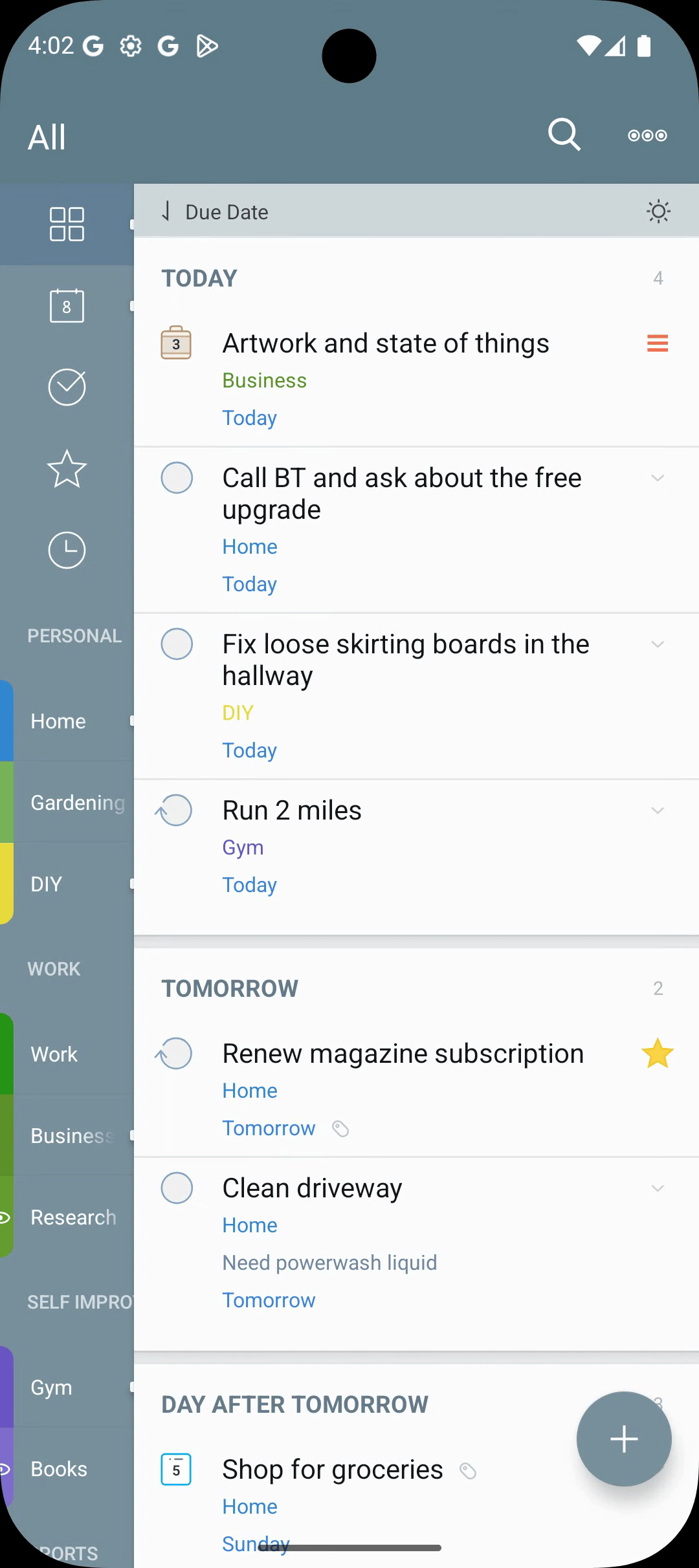
Toggling Focus
- Tap the Focus icon in the top toolbar of the Tasks screen.
- When focus is on, only tasks matching the rule are shown.
Editing the Focus Rule
- Long-press the Focus icon, or open the overflow menu (
⋮) → Focus Filter Rule. - The rule builder lets you combine clauses for tags, priority, dates, list, location, action, alarms, and more.
- Combine with all (AND) or any (OR). For the full builder reference, see Smart Lists.
Per-List Focus Rules
Each list remembers its own Focus rule. Switching lists carries the focus state with the list.
Quick Tag Filters
For one-off filtering, tap any tag in the Tags tab. The Tasks screen narrows to that tag without touching the saved Focus rule.
Saving a Focus as a Smart List
If you keep returning to the same Focus rule, save it as a Smart List and pin it to the drawer.