
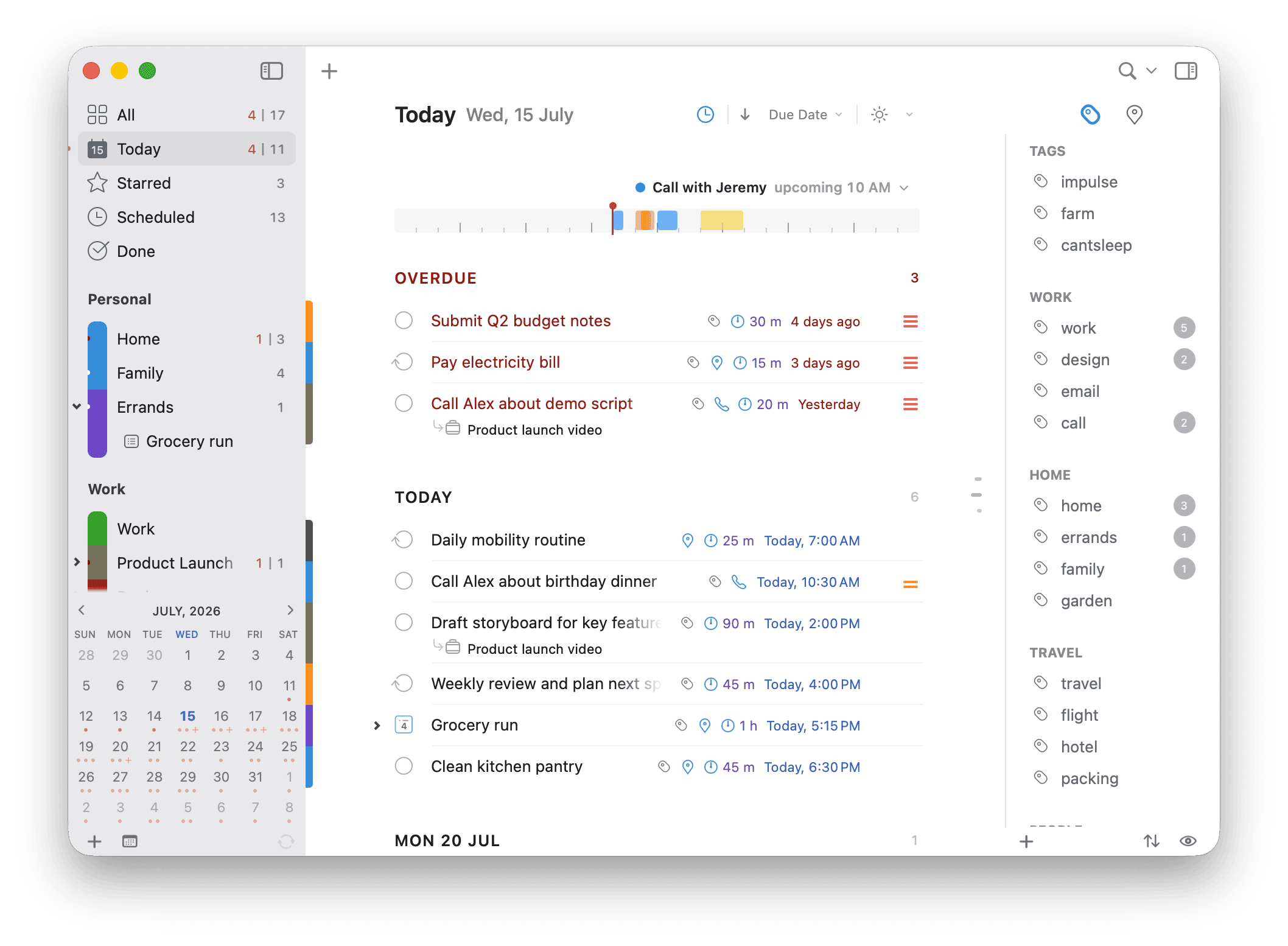



For work, study, and everyday life











Getting organized is just two steps! (we counted)
1Get everything out of your head and into one place. Big plans, everyday errands, and all the little reminders in between. 2Do’s Quick Entry can help you with that.
2Now pick dates. Reshuffle when plans change. Flag what’s urgent. Prioritize what’s next. Put things on hold. Keep what can’t start yet out of sight. Sort the ideas from the errands from the projects. Dig up a buried note. Update it. Okay, somewhere back there we stopped counting.
Good thing, steps 2 and up are exactly what 2Do was built for. It all takes seconds, and you can even ask an AI to help.
It's Just Quicker That Way
Pick up the kids @school tomorrow at 3pm [30m] #carpool !!! lands as a high-priority task due tomorrow at 3 PM with its duration set to 30 minutes, location school, tagged as carpool and the title ending up simply as Pick up the kids.
Dates, times, repeats, alerts, durations, priority, tags, lists, and the places you’ve saved all work the same way across ten languages.

Syncs with whatever you already use
Choose where to sync your tasks: Dropbox, Apple Reminders, Todoist, iCloud, Fastmail, Fruux, or your own CalDAV server. Use the same service on your devices to keep your tasks up to date.
 Dropbox
 Apple Reminders
 Todoist
 iCloud
 Fastmail
 Fruux
Fruux CalDAV server
You can even share individual lists over Wi-Fi with people nearby.
 Wi-Fi
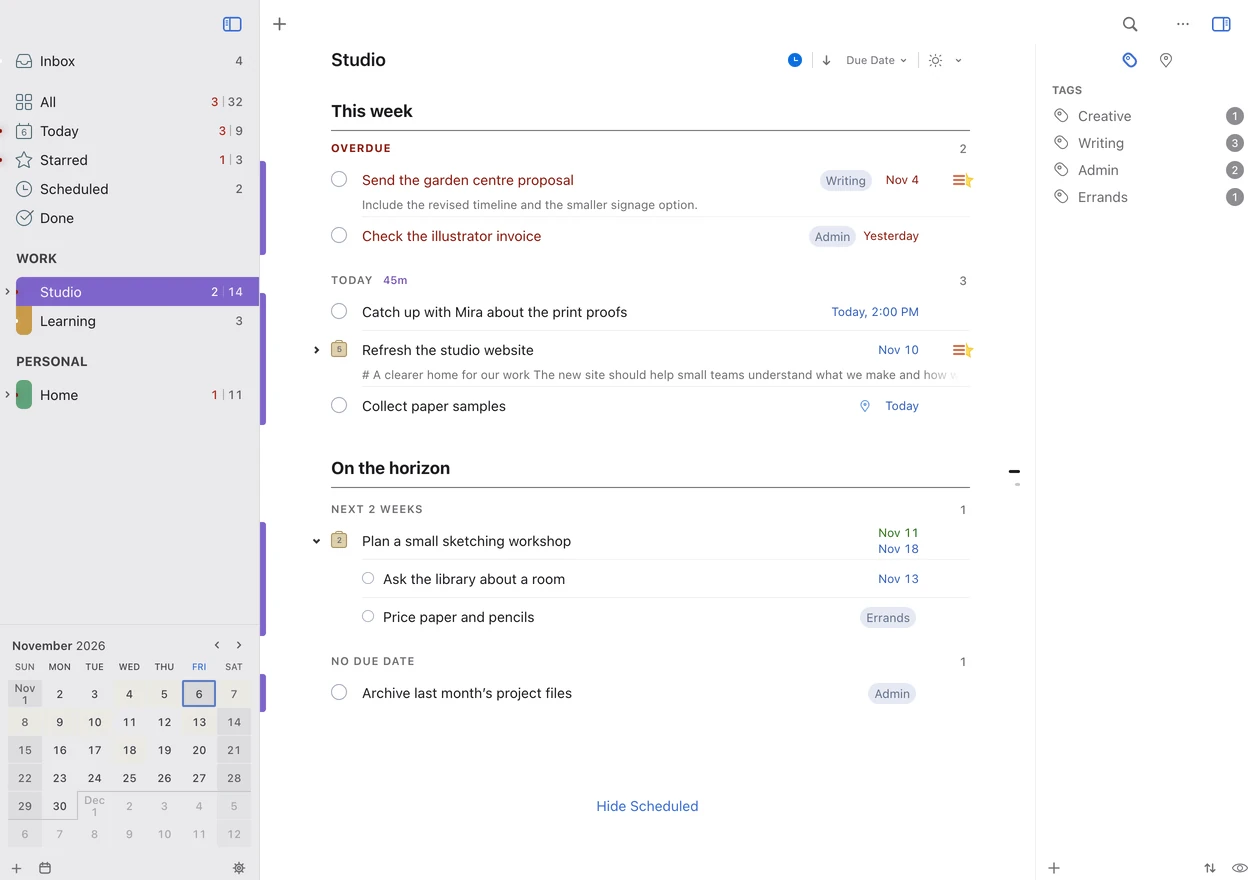
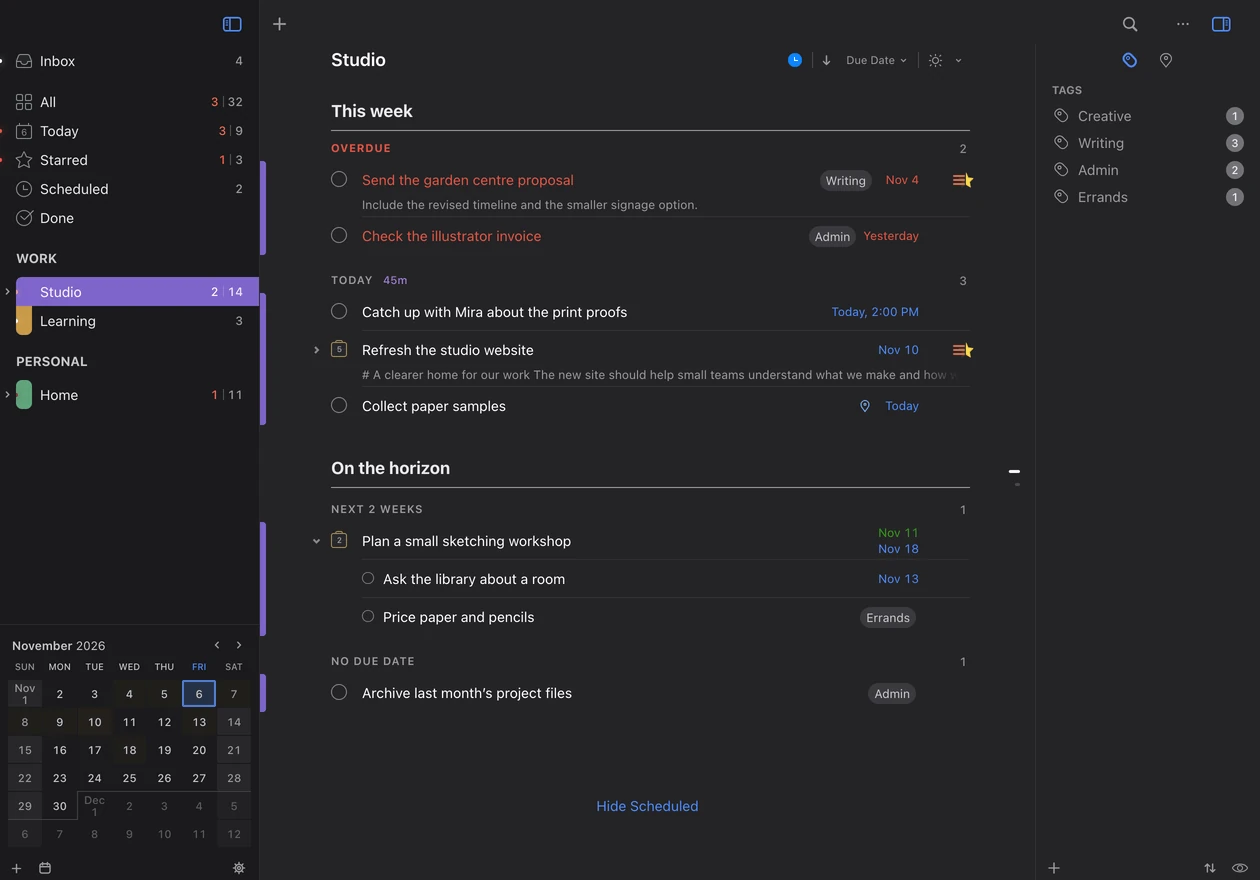
Wi-FiLooks like a Mac app. Feels like a Mac app.
Except it’s running in your browser. Use your lists on Windows, Linux, a Chromebook, a Mac, or a mobile device, synced through iCloud with 2Do on your other devices.
Included at no extra charge with eligible 2Do for Mac access.
Make plans together
Plan a trip, keep a household grocery list, or collaborate on a project with someone else. Invite people through iCloud to view or edit a list in 2Do on Mac, iPhone, and iPad. Tasks, notes, attachments, and the order you arrange together stay shared.
Keep your own list name, color, sort view, and Focus filters. For a deadline across time zones, fixed time lets everyone see the same moment in their local time. Requires a version of 2Do with iCloud sharing on macOS 14, iOS 18, or iPadOS 18 or later.
Break a long list into sections
Keep a whole trip in one list, with sections for bookings, packing, and places to visit. Move sections around as your plans change. 2Do sorts the tasks in each section by date, priority, and more.
Or let Apple Intelligence group related tasks into sections and name them for you.

Know your day before it starts
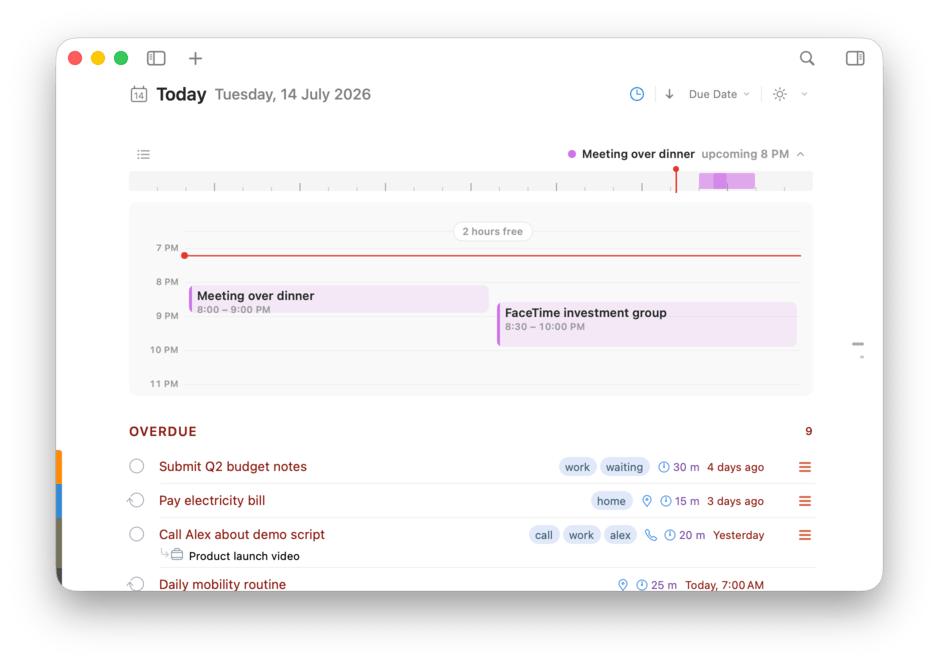
See your calendar events above your Today list. With appointments and tasks together, it’s easier to plan work around the time you have available.
One window per train of thought
One window is rarely enough. Open as many as you like, each an independent view of the very same tasks. Keep Today up on one screen while you plan a project on another, or park a reference checklist beside the work it belongs to.
Every window remembers its own list, search, size, and panels, so switching between them never loses your place. Leave them open and they’re waiting the next time you launch 2Do.
Never lose a 2am idea again
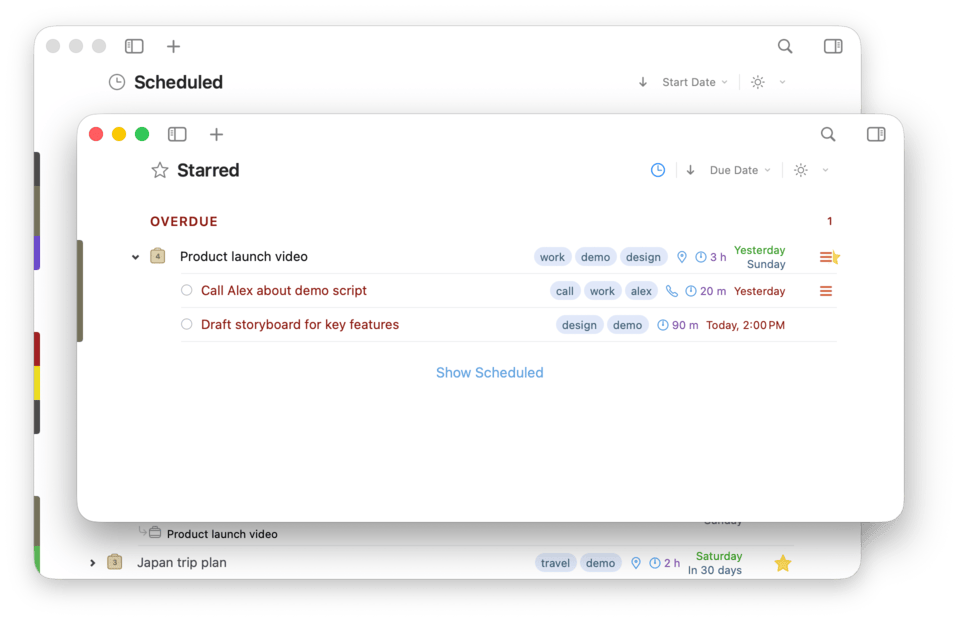
A passing thought is the worst thing to lose. Trigger Quick Entry from anywhere on your Mac and your idea becomes a task, project item, checklist entry, or a dated reminder before it slips away. It works even when 2Do isn’t the app in front, or isn’t running at all.
Add dates, tags, notes, and other details as you capture a task, using familiar editor controls.
Mail, meet your task list.
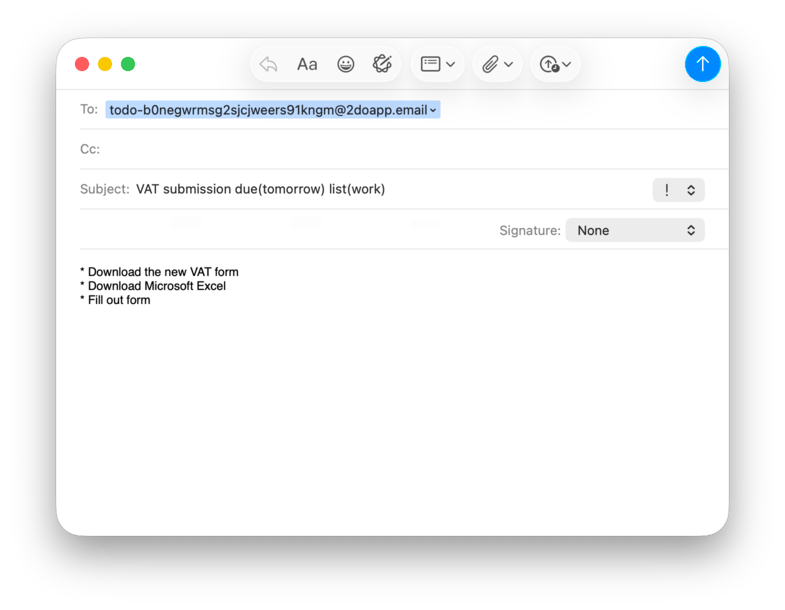
Flight confirmations, payment reminders, that reply you keep dodging: mail them all to 2Do.
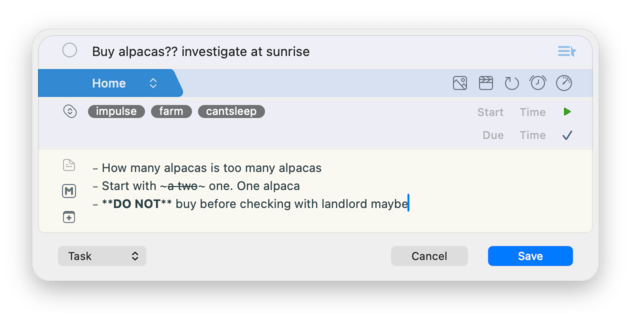
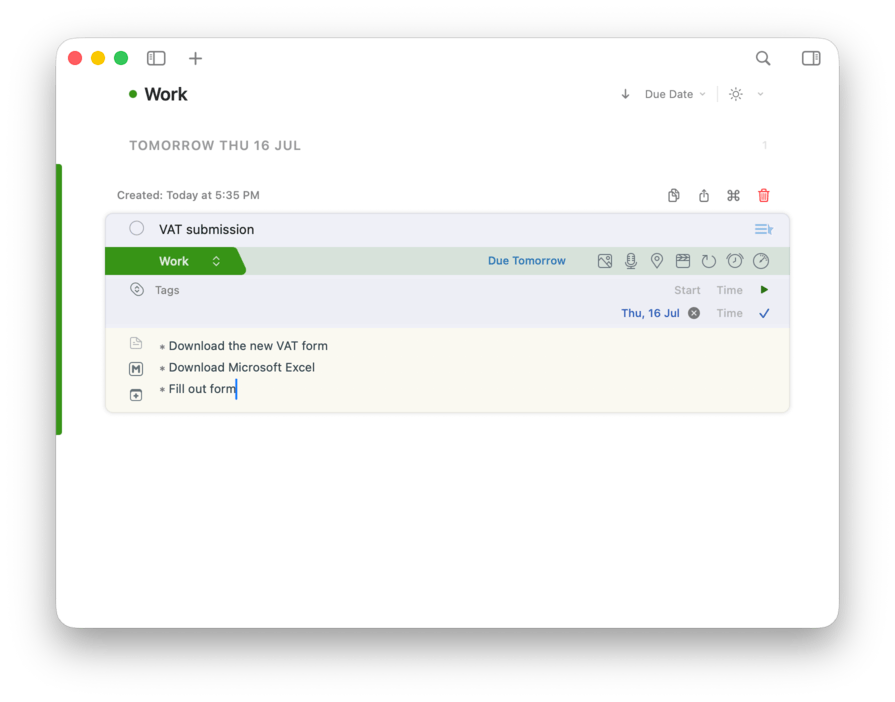
Your Mac gets its own private email address. Anything sent to it becomes a task: the subject becomes the title, the message becomes the notes, and a numbered message arrives as a checklist. File as you send with subject instructions like due(tomorrow) or list(Work), and share the address with the people you trust to fill your list.
See your tasks from every angle
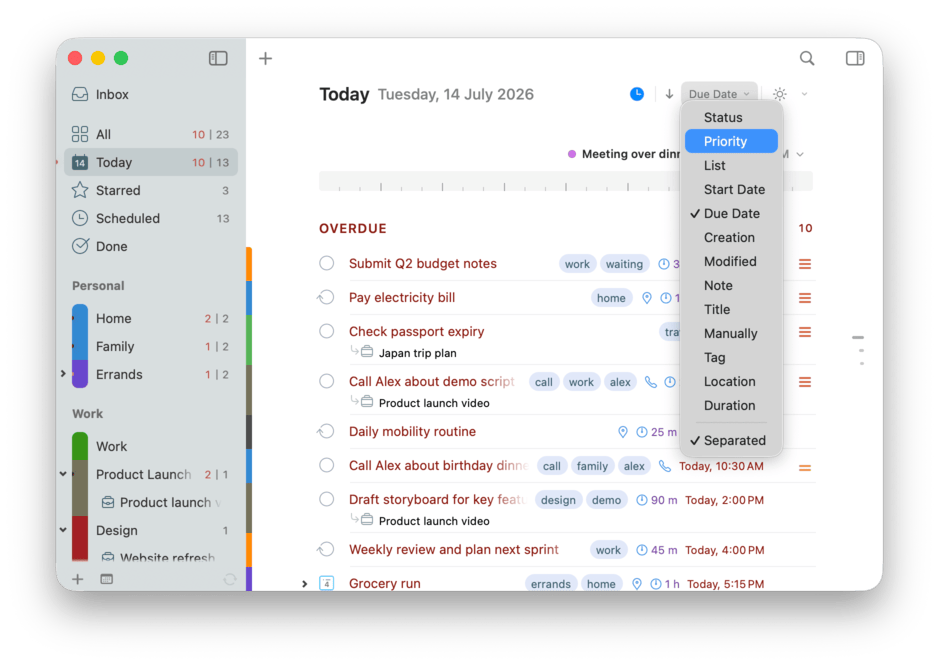
Order any list the way that suits the moment: by due date, start date, priority, or tag, or arrange it by hand. A single click of the sort control at the top switches between them, ascending or descending, and every list remembers its own choice.
Check upcoming deadlines in one list and work through priorities in another. Each list keeps the order that suits it.
Drill down to what matters right now
Tick the conditions you care about (due today, high priority, overdue, starred, or any mix), then toggle Focus on with one click. The list drops everything else and shows just what you asked for; click again to bring it all back.
It works in any list and any view, and each list remembers its own conditions, so Work and Errands can each focus on different things.
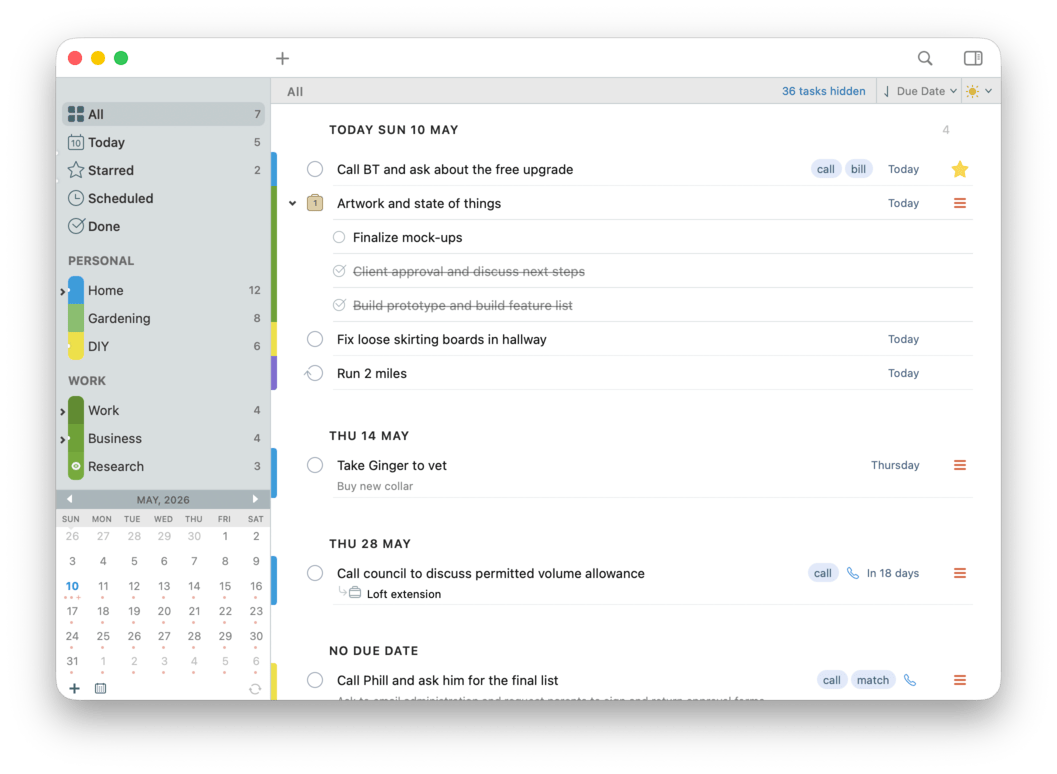
Tasks that grow into projects
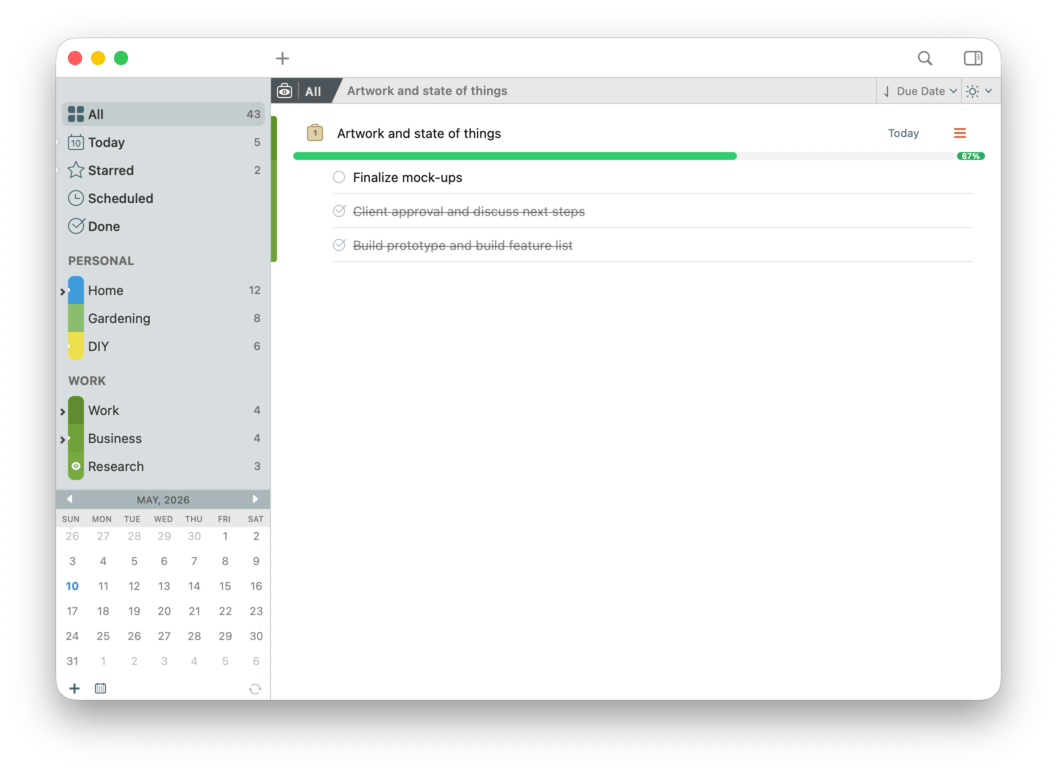
Ideas rarely arrive fully formed. Jot something down as a simple task, and when it starts to sprawl, turn it into a checklist, then into a full-blown project with sub-tasks of its own. Gather, sort, and rearrange as your thinking takes shape, and the structure grows right along with the plan.
Around them, color-coded lists keep related work together and List Groups keep a growing sidebar tidy. Every list keeps its own sort and focus, and even a project can order its sub-tasks its own way. Work, personal, errands, and someday don’t need to share the same rulebook.
Set tasks aside until you’re ready
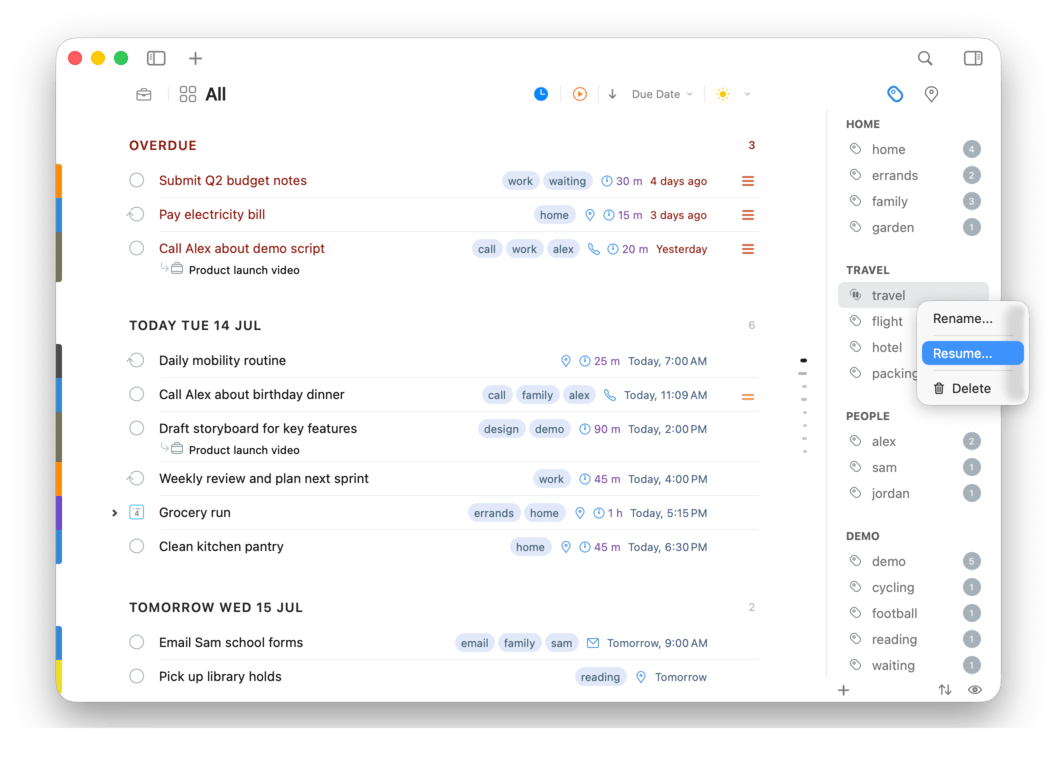
Pause a tag to hide the tasks that use it until you’re ready to work on them. It’s useful for a renovation, a reading list, or a project you’ve set aside.
Paused tasks stay out of All, Today, and search results, and stop sending notifications. Unpause the tag to bring them back.
Find that task you know is in there
Build precise searches across titles, tags, notes, dates, and every other detail 2Do tracks, then save them as Smart Lists. Your weekly review, your stalled projects, your high-priority work, and your nearby errands all become a single click away.
A task can appear in several Smart Lists while staying in its original list.

Drag, drop, defer. Together.
Select several tasks to reschedule, tag, move, or delete them together. Drag them onto a list, tag, or calendar date, or use a keyboard shortcut to make the same change to all of them.
Change priorities for the whole selection without opening tasks one by one.
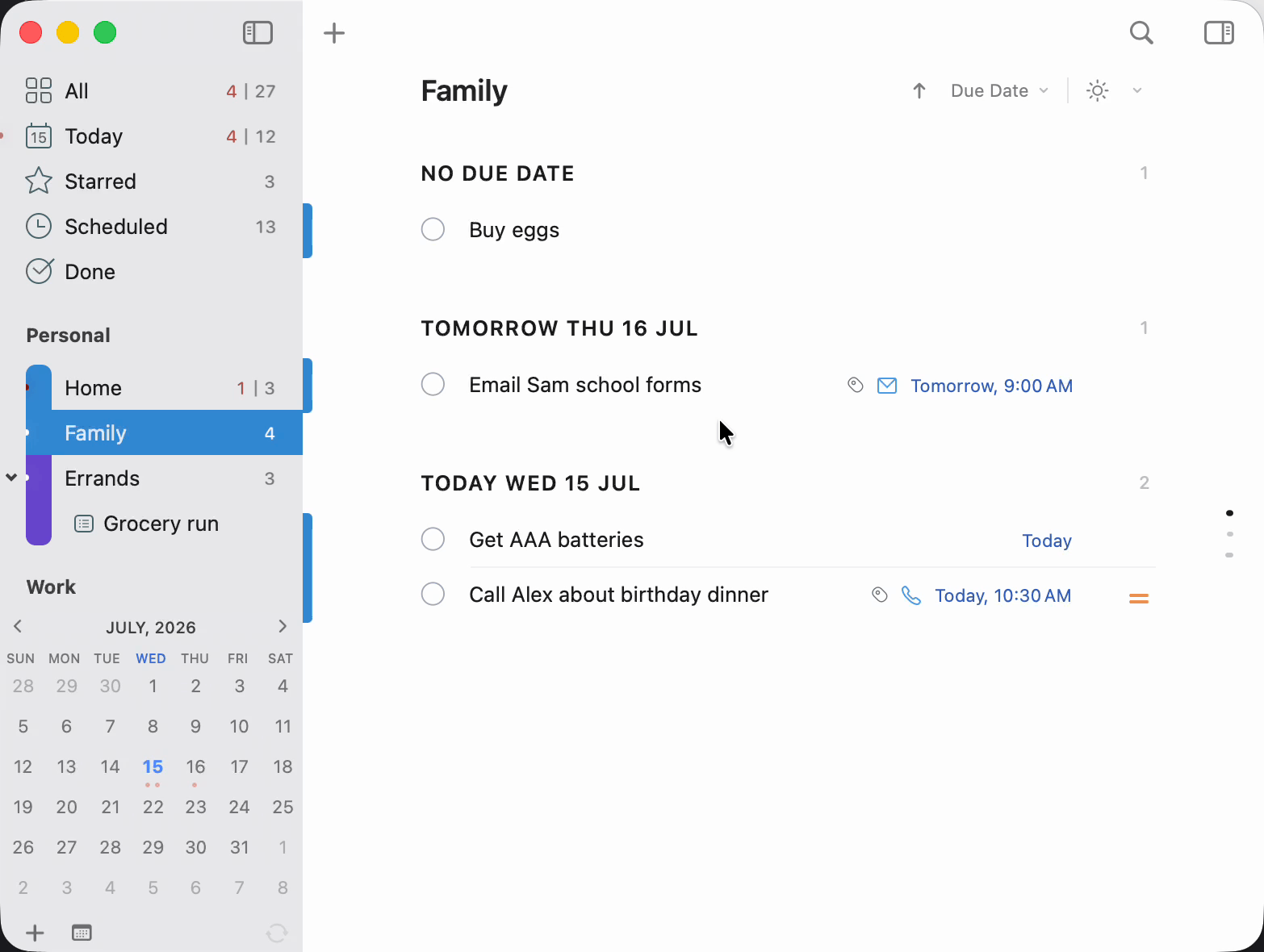
Tags: little words that sort everything
A tag is just a little word you'll remember, like @phone, @waiting, or @maria, and 2Do can group, filter, and sort by them. Tags, Tag Groups, and the Nearby panel live one click away in the utility panel, so you can pull up exactly the tasks you can act on right now without rearranging a thing.
Tag Groups keep related tags together, so even a big collection stays easy to scan. The Nearby map brings up location-tagged tasks the moment you’re close enough to actually do them.
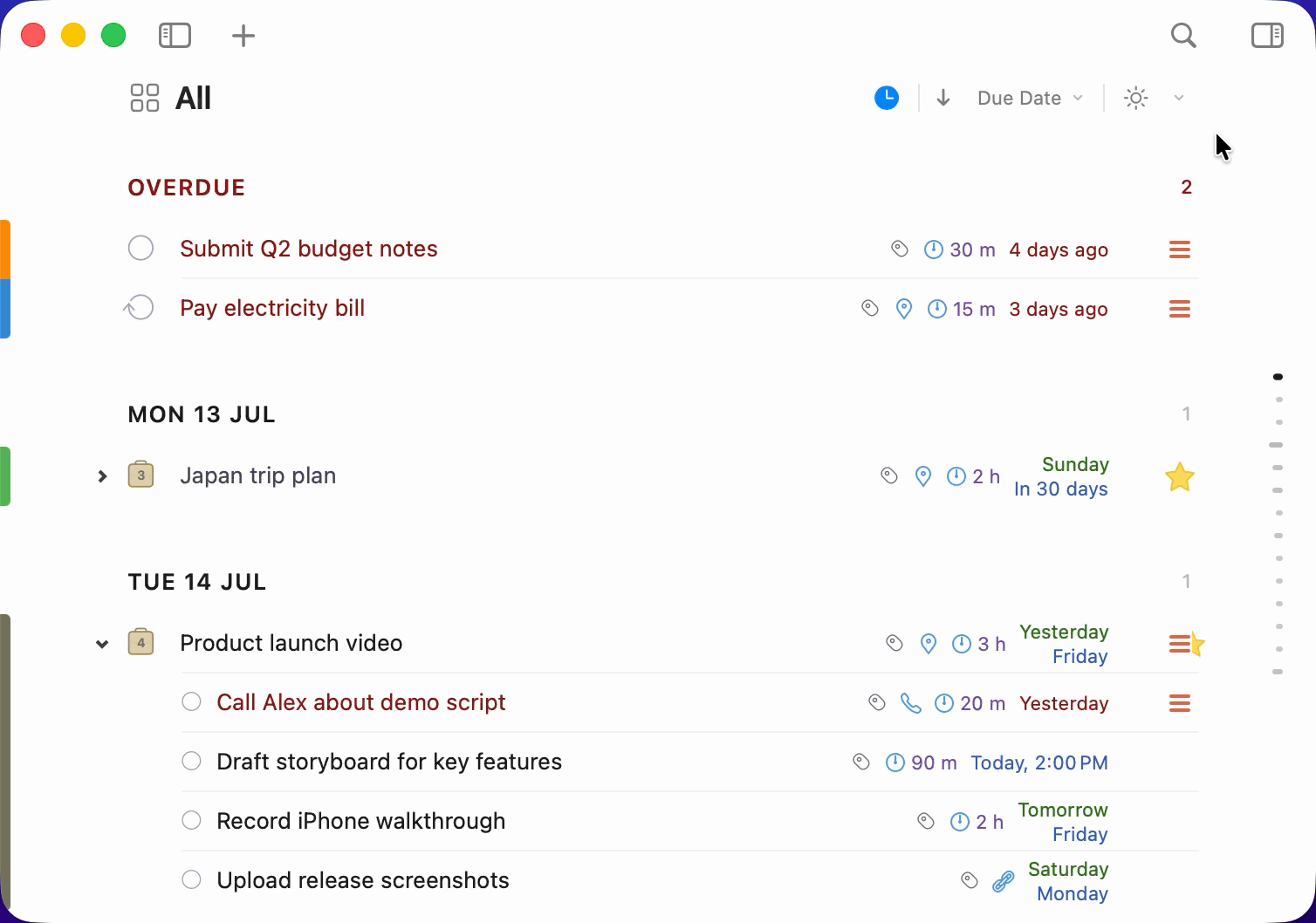
One reminder is rarely enough
Stack multiple alerts on a single task, with sound or text. Alarms can nag you with a repeating sound until you deal with them, or be snoozed for later, so the things that must not slip, don't.
Overdue notifications are redesigned to blend in with the interface while staying impossible to miss. A soft glowing dot appears on a list when something due today is hiding inside.
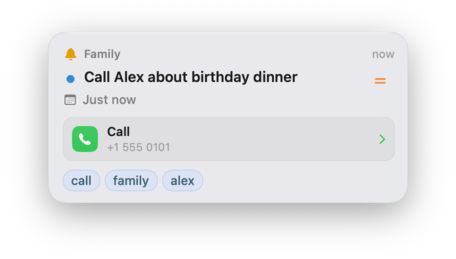
Actions: every task can do more
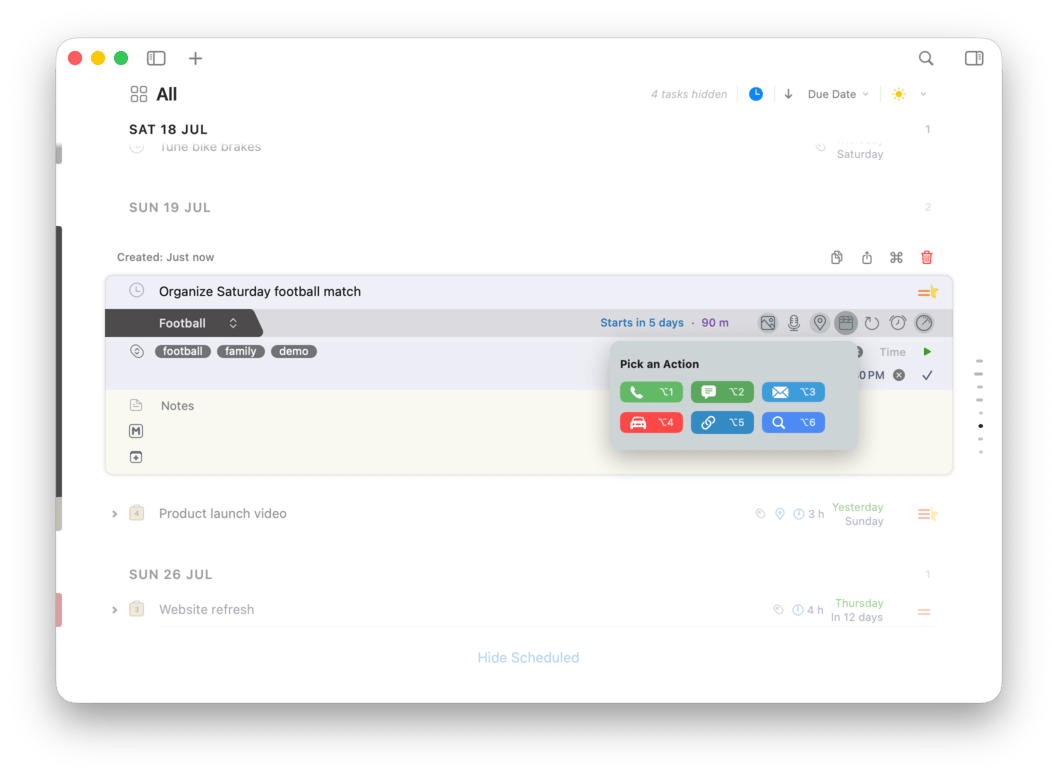
Attach a URL, a phone number, an address, an email, even a Google search directly to a task, and the next step is always one click away. Make the call, open the map, fire the search, send the message. Done.
Power users, welcome
Hand the busywork to Claude Co-Work. Ask it to spin up a project, break a goal into sub-tasks, shuffle due dates, tidy your notes, or reorganize a list. It all runs through a standard MCP server built right into 2Do, so Claude (or any MCP-capable agent) works with your real, live tasks.
Prefer to wire things up yourself? Compose full AppleScripts, build automations in Apple’s Shortcuts app, or drive 2Do from anything that speaks URL schemes. However deep your automation runs, 2Do keeps up.
When one task needs another
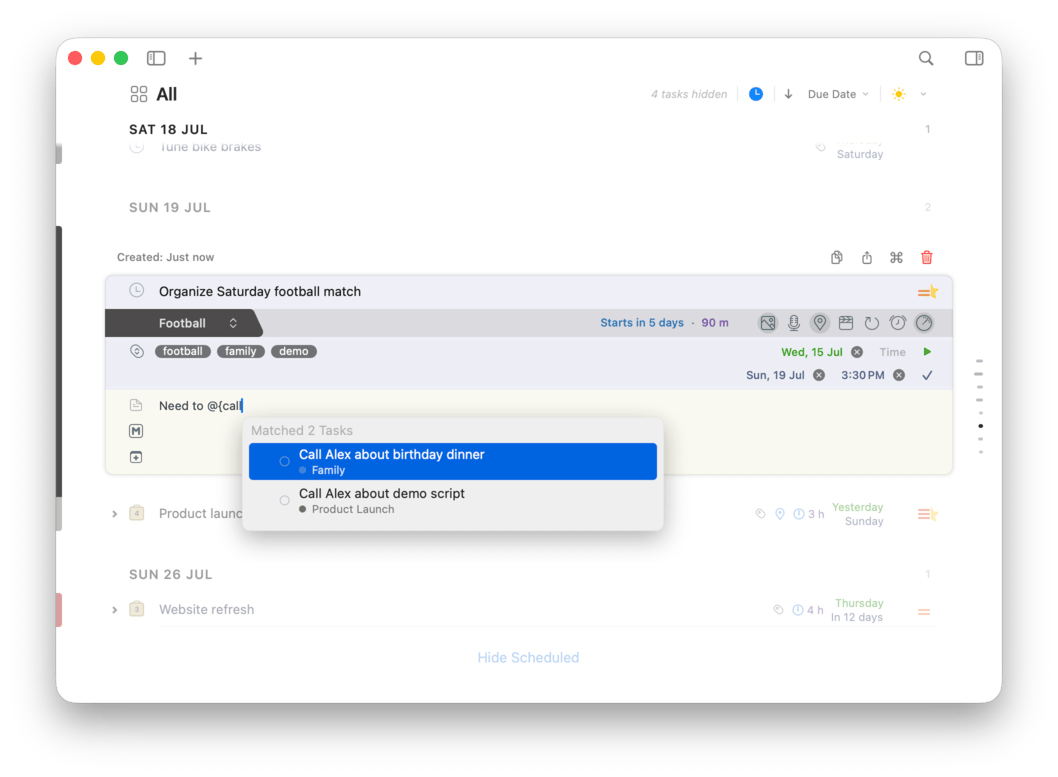
Type @{…} in any note and pick a task to drop in a live link. Click it later to jump straight there. Keep related tasks connected, from a project’s next steps to the follow-ups from a meeting.
A link is simply the task’s title stored as plain text, so you can even type one by hand, on any device, and 2Do resolves it to the matching task everywhere your notes sync.
Anything, one keystroke away
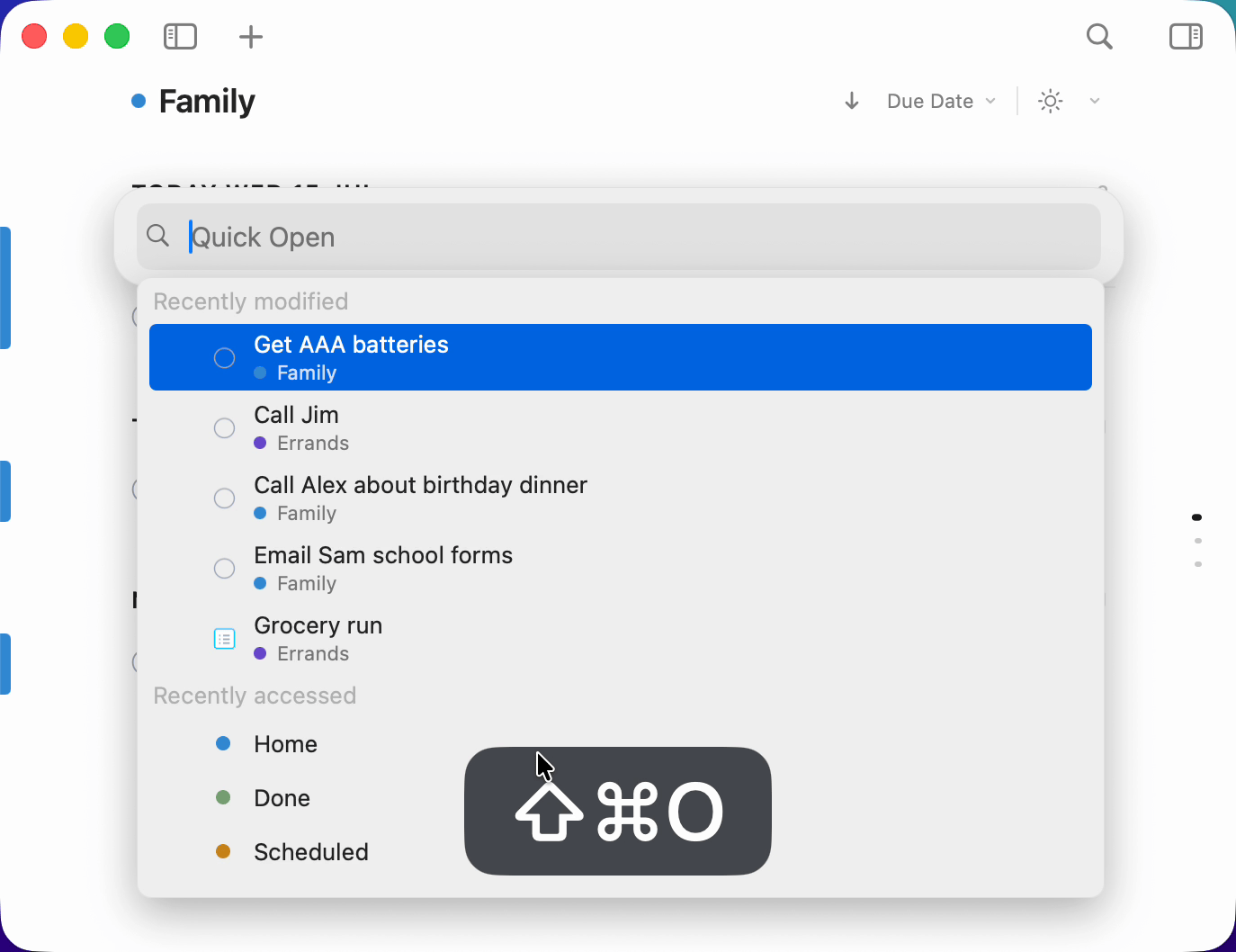
Quick Open: one shortcut, a few letters, Return, and you’re looking right at the task or list you wanted, wherever it lives. No scrolling, no scope to set first. Open it empty and it hands you the things you were just working on.
Beautiful notes, as you type
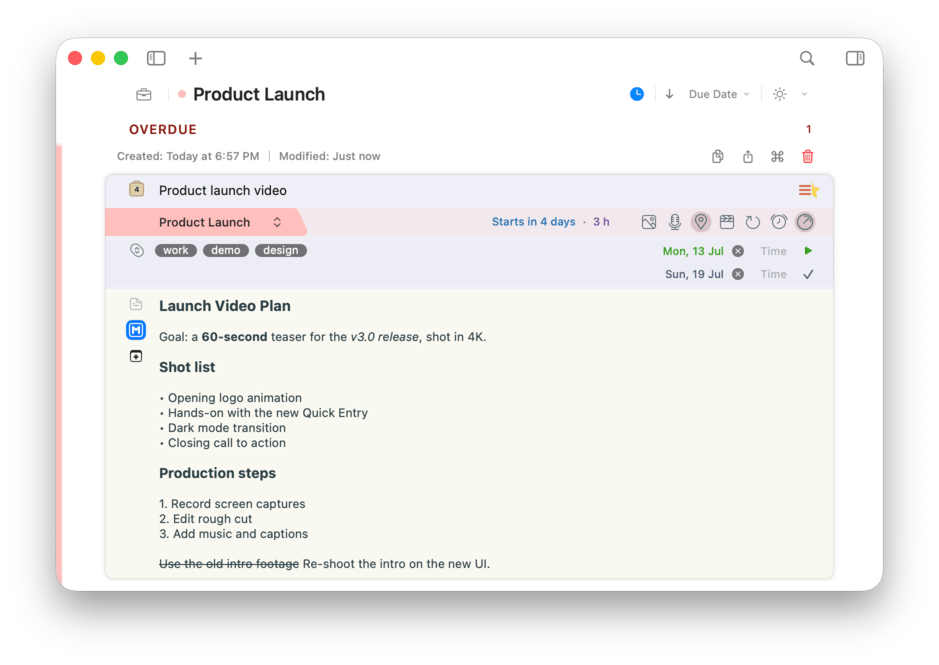
Write notes in Markdown and watch them come to life: headings, bold, lists, quotes, and code, styled as you type. Drop in a date stamp with a click, and every link you write gets collected, ready to open whenever you need it.
Share a list across the room
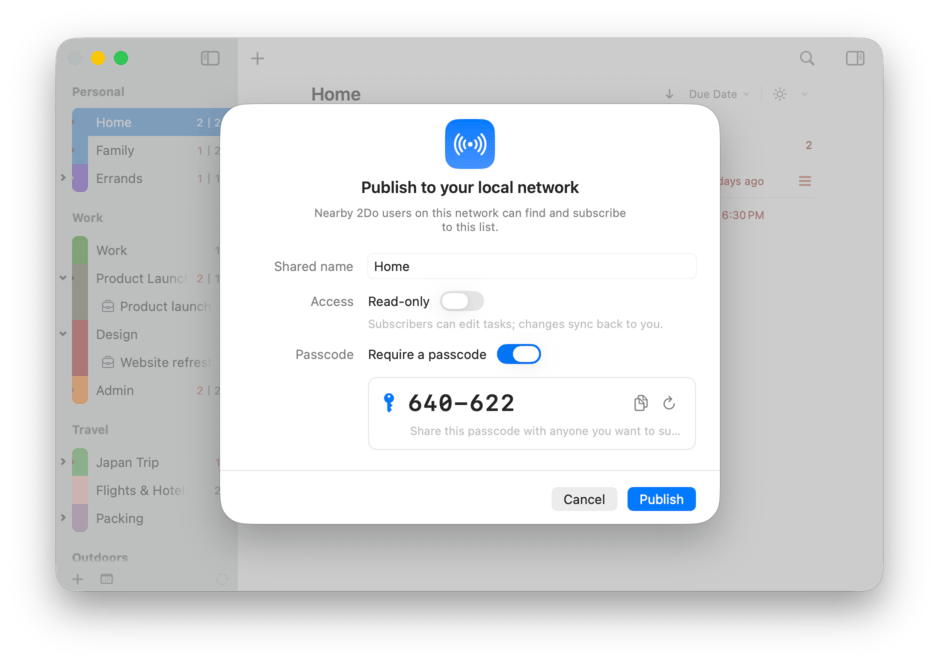
Publish a list to your local Wi-Fi and anyone running 2Do nearby can subscribe, no cloud account required. Share the groceries, a trip plan, or a project with the room, protected by a simple passcode.
Edits flow both ways, and one list can be shared with several people at once.
A date picker that keeps up
Scheduling shouldn’t slow you down. Type an exact date when you know it, or just say roughly when: tomorrow 3pm, in 4 hours, even in 3w 3pm to push something three weeks out. 2Do offers instant suggestions as you type, and date and time land in their own fields you can still edit inline.
No modal to open and no calendar to hunt through. One click clears a date or drops the time, so the fiddly part of planning gets out of your way.

The whole task, at a glance
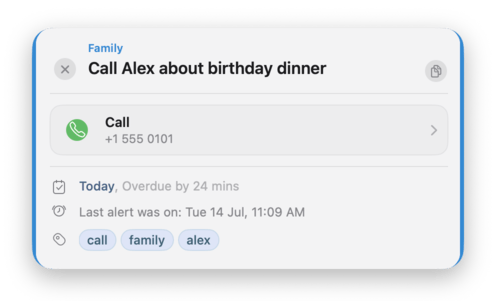
Select any task and tap Space. A floating panel shows everything it carries without ever opening the editor: notes, dates, alarms, tags, attachments, and a prominent action card.
Step through the list with the arrow keys and the preview follows along, refreshing as you go. Tap Space again to dismiss it.
Some lists are nobody else’s business
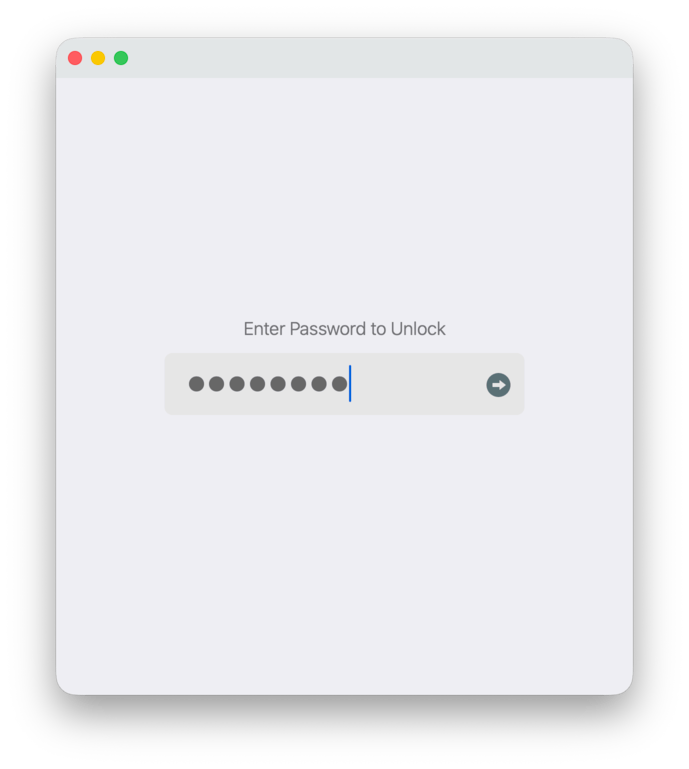
Lock the whole app behind a password, or just the lists that need it: the journal, the gift ideas, the plans nobody should stumble into. One click on the padlock locks up, Touch ID unlocks in a blink, and 2Do can lock itself after your Mac sits idle.
A locked list keeps its tasks out of sight everywhere until you unlock it, and lists you never want to see can be hidden from the sidebar entirely.
Private. Recoverable. Yours.
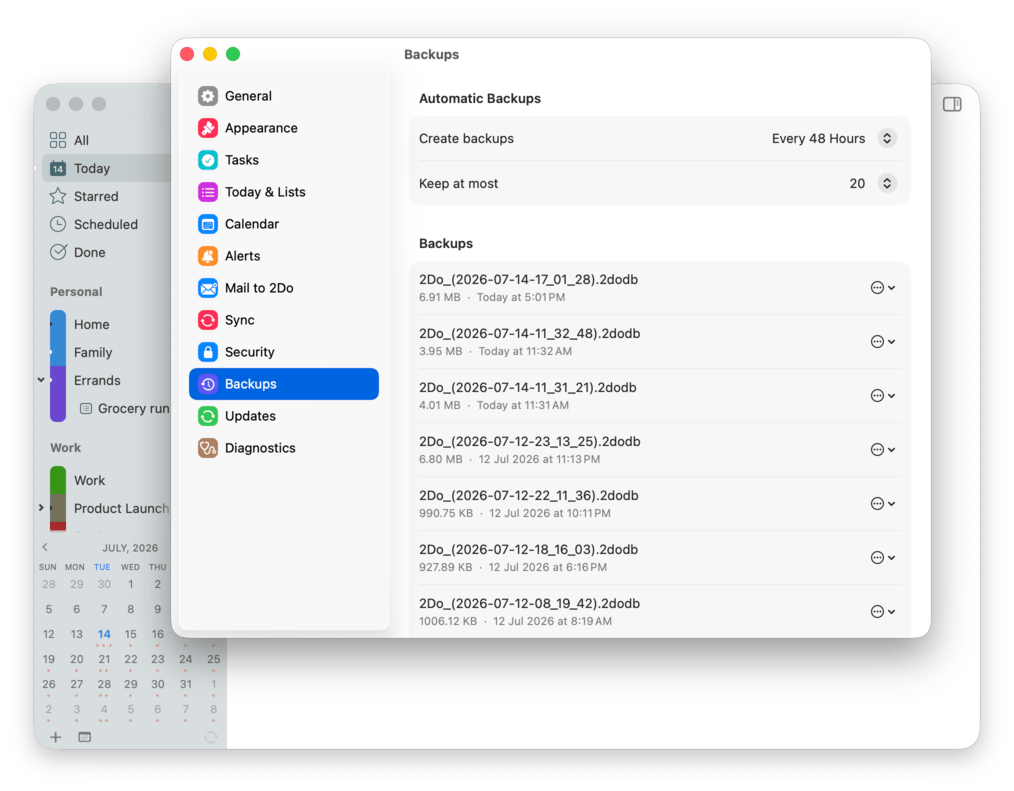
Lock private lists with a click, and keep automatic backups ready for the day you need them, now with a restore browser that brings back a single list without touching the rest. Sync through the service of your choice: Dropbox, Apple Reminders, Todoist, Toodledo, iCloud CalDAV, or any CalDAV server. The sync engine was rebuilt from the ground up, and every method can Merge as well as Replace. 2Do treats sync as your bridge between devices, never a requirement to store your data with us.
 Toodledo
Your data stays portable, and your tasks stay between you and the people you trust.
Natural Language Input
A Place to Land
Task Sections
Mail to 2Do
Tag-Powered Views
Nearby
Durations
Smart Lists
Multiple Windows
Dropbox Sync
CalDAV & iCloud Sync
Todoist Sync
Apple Reminders Sync
Merge Sync
Import & Migrate
Export Lists
Backup Browser
Light & Dark Themes
macOS Focus Filters
Last Selected Task
Move To Project
Link Discovery
Voice Transcription
AppleScript
Multiple Notifications
Repeating Tasks
Today Widget & Share Extension
Preview Without Opening
Section Heat Bars
Archived Lists
Password Protection
Batch Editing
Smart Scheduling
URL Schemes
IFTTT Ready
Voice Capture
Print Your Lists
Secure Sync
First-Class Support
Your Data, Your Rules
Your tasks are stored on your devices. If you choose to sync, 2Do uses the service you select.
Read our privacy policy to learn more.
The Word on the Street
Wish I’d starting using 2Do sooner
Gosh, I sure wish I’d started using 2Do years ago. Much to my surprise and delight, making this change was a relative breeze. I’ve found 2Do to be more powerful, have more useful features, be better looking and has the ability to be substantially more customized by the user than the previous app I’d been using.
I’ve trid most of them… this is the best
I’ve tried so many of these to do lists… and this is the one I just keep coming back to. I do use this on IOS, mac, and my iPad. Its a minor investment compared to what you get out of this if you use it well.
Best in class task management
I use 2do extensively every day to manage my life, both personally and professionally. Over the years I’ve tried other task management tools and systems but none of them have 2do's unique combination of design and usability.