Stars and Priorities
2Do has two ways to mark a task as more important than others: a Star and a Priority. They look similar, but they're for different jobs.
The Short Version
- Star — I want this task in front of me right now. Personal, ephemeral, easy to flip on and off.
- Priority — This task is intrinsically important. Stable, ordered (None / Low / Medium / High), survives across reviews.
You can have both on the same task. You'll usually only need one.
Stars
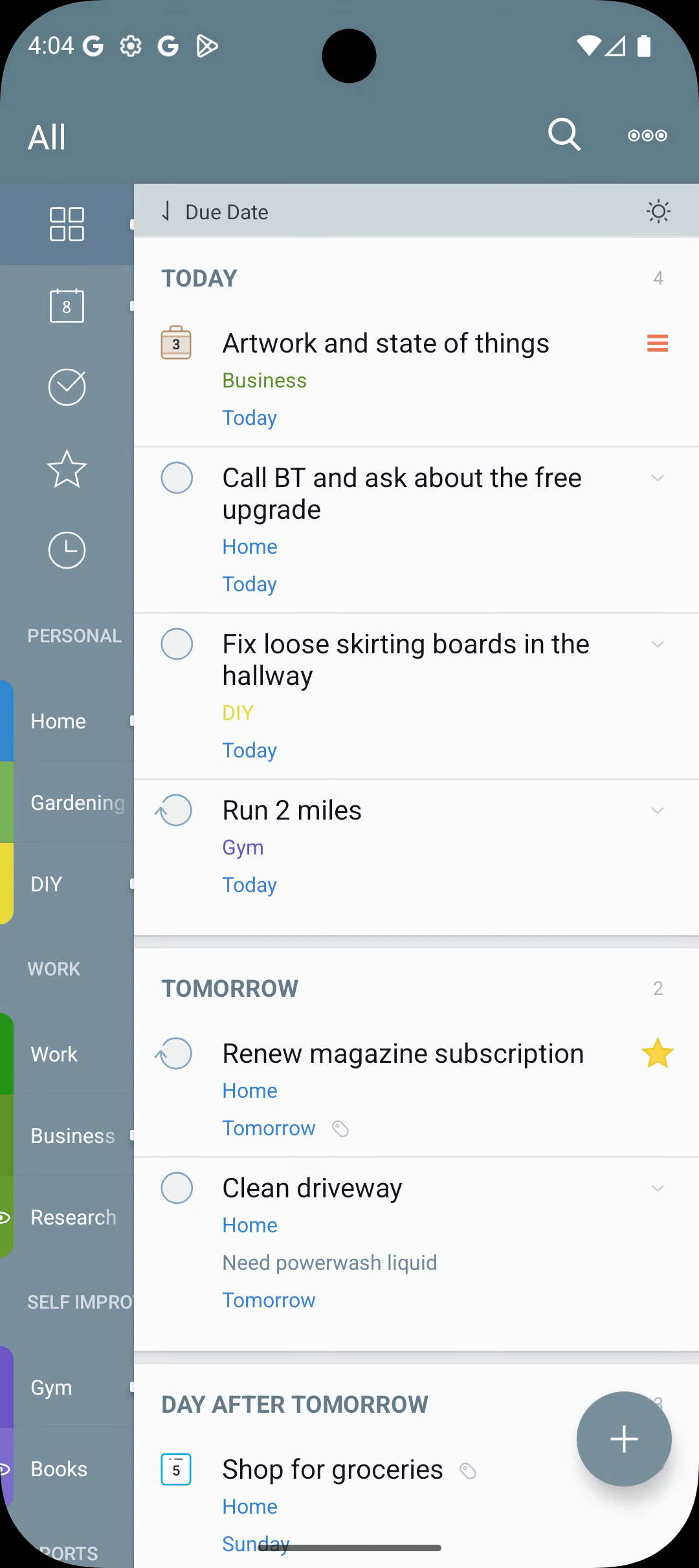
A star is a binary flag. To star a task, use the long-press menu or the visible task-row actions.
What Starring Does
- The task appears in the Starred Focus List at the top of the navigation drawer.
- It optionally appears in Today — Include Starred Tasks in Settings > Appearance.
- It matches
type: starredin Smart Filters.
Use stars for temporary emphasis — tasks you want in front of you for the next few hours, not a permanent classification.
Priorities
Four levels: None, Low, Medium, High. The priority dot is colour-coded on every task row.
Setting a Priority
- In the editor — tap the priority field, pick a level.
- From the long-press menu — Priority sub-menu.
What Priority Does
- Colour-coded dot on every row.
- Sorting by Priority groups tasks by level — High first.
- Smart Filters:
type: hiprio,type: medprio,type: lowprio,type: prio,type: noprio.
Use priority for stable emphasis. Reserve High for genuinely top-of-heap tasks.
Stars vs. Priorities — When to Use Which
| Situation | Use |
|---|---|
| In front of me today only | Star |
| Intrinsically more important | Priority |
| Sortable hierarchy of importance | Priority (sort by Priority) |
| The most important across every list | type: hiprio |
| Quick "what should I do next?" view | Starred Focus List |
Use Priority to label what is important and Star to mark what you want to do next. They answer different questions.
type: hiprio AND starred — a tight "high-priority items I'm actively pushing on" view.