Focus Filter
The Focus Filter is 2Do's switch between everything I have and just what matters right now. Pick one or more built-in conditions for a list, then turn Focus on or off with a tap whenever the list gets crowded.
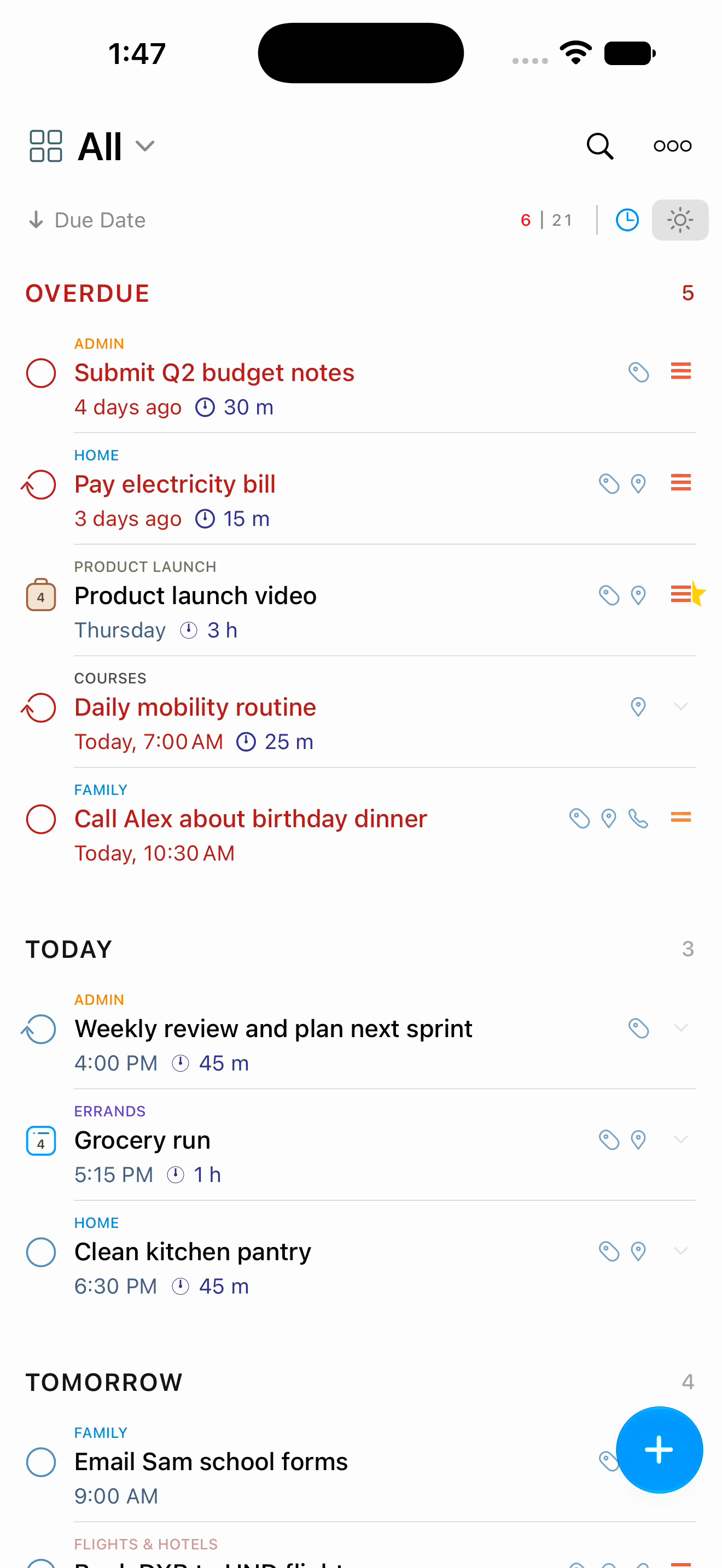
Turning Focus On
Tap the Focus button in the sort bar above your tasks. While Focus is on, the list shows only the tasks matching the conditions you picked, and the button lights up so you always know why the list looks shorter. Tap it again to see everything in the list.
A short toast confirms each change, so you never have to guess whether the tap landed.
Choosing Focus Conditions
Touch and hold the Focus button to open Focus Settings. Tick as many conditions as you like:
- Overdue
- No Due Date
- In Progress
- Today
- Tomorrow
- This Week
- Next 3 Days
- Next 7 Days
- Next 30 Days
- Next 6 Months
- Next 12 Months
- High Priority
- Starred
With several conditions ticked, Focus shows tasks matching any of them. The popover stays open as you tick, so you can build the set in one go.
Focus settings can be personalized for each list, and tasks that repeat in the future are included as well.
Build a morning-review Focus that shows High Priority or Today tasks, and turn it on first thing each day. Turn it off when you are ready to see the rest.
Per-List Focus Conditions
Every list keeps its own set of conditions, and 2Do remembers which ones are active for each. Switch lists and the Focus state goes with them.
This is useful when different lists deserve different treatment. Work might focus on overdue and high-priority items, while Errands focuses on the next few days.
Focus Mode in Settings
To review or change several lists at once, open Settings > Tasks > Focus Mode. It lists every list you have, grouped as your source panel is, with a summary of the conditions each one uses. Tap a list to change its set.
Quick Tag Filters
For a one-off filter, tap a tag in the Tags page of the utility panel. The task list narrows to tasks carrying that tag, and your saved Focus conditions are left alone.
When You Need More
Focus is deliberately simple: a fixed set of conditions for narrowing a list quickly. For anything more detailed, such as a specific tag, a location, a text search, or a custom date range, build the query in Search and save it as a Smart List. A Smart List lives in the source panel with its own name and colour, and stays up to date on its own.
Keep Focus for quick narrowing. Save the filters you use every day as Smart Lists, since they are easier to find again later.