

Tasks in Your Pocket for Pros, Students, and Scholars Everywhere—Stay on Top of It All!










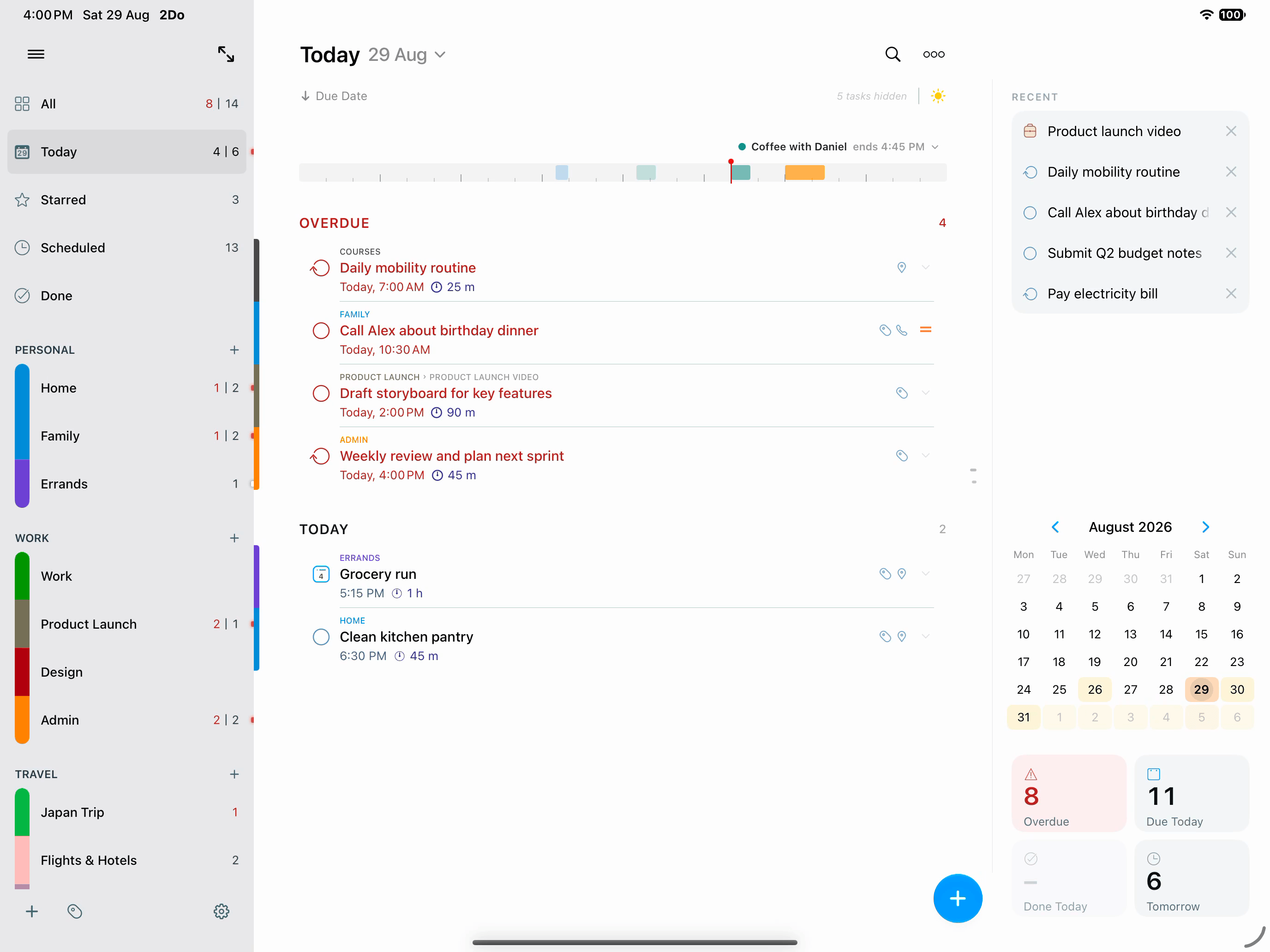
No compromise on the bigger canvas
2Do was designed to meet your need for speed. Capture a passing thought, turn it into a project when it deserves structure, and keep the details close: notes, tags, dates, alerts, and checklists, all one tap away.
2Do has been refined over years of careful work, with thoughtful feedback from students, parents, professionals, and lifelong list-keepers along the way. Every detail, from the way Quick Add behaves to the smallest gesture in the editor, has been considered, weighed, and earned its place.
Use it as a simple personal list, or push it into full GTD® territory. On iPad it spreads out, with the work and the context around it together on one screen.
Task Management, Taken Seriously
Nothing is trimmed down compared to its desktop counterpart. Your lists, your tasks, the task you are editing, and a utility panel for Tags, Nearby, and Calendar Events all stay within reach. Desktop-grade power, designed for touch from the start.
It's Just Quicker That Way
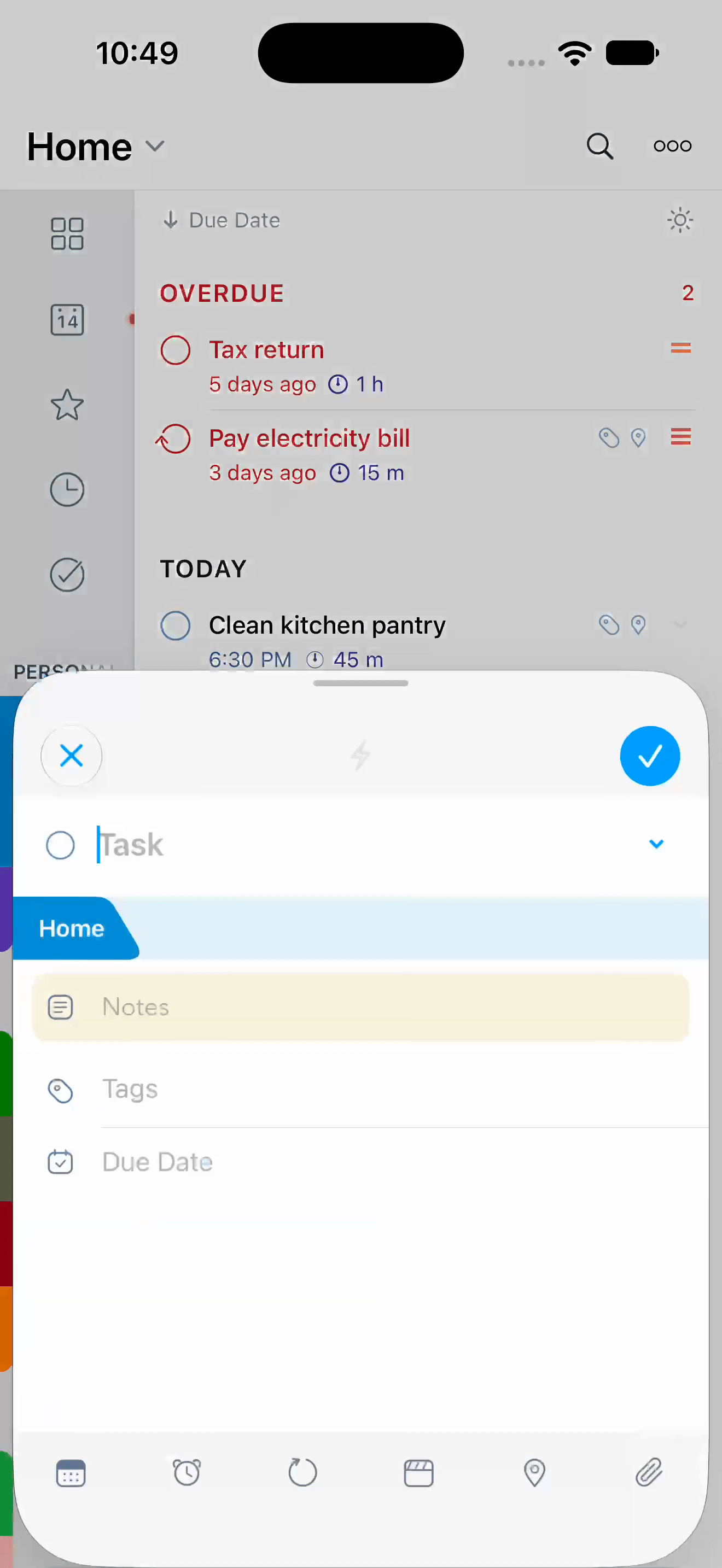
Pick up the kids @school tomorrow at 3pm [30m] #carpool !!! lands as a high-priority task due tomorrow at 3 PM with its duration set to 30 minutes, location school, tagged as carpool, and the title ending up simply as Pick up the kids.
Dates, times, repeats, alerts, durations, priority, tags, lists, and the places you’ve saved all work the same way across ten languages, in the task editor and in Quick Add.
Syncs with whatever you already use
While most apps decide where your data lives, 2Do thinks that’s your call: iCloud, Apple Reminders, Dropbox, Todoist, Toodledo, Fastmail, or your own CalDAV server. Pick the one you trust and 2Do keeps every device in step.
 iCloud
 Apple Reminders
 Dropbox
 Todoist
 Toodledo
 Fastmail
 CalDAV server
iCloud is the one we recommend. It works through the account your device is already signed in to, so there is no second account and no password to keep, and it carries everything: tasks and projects, Smart Lists, tags, groups, locations, and attachments.
Know your day before it starts
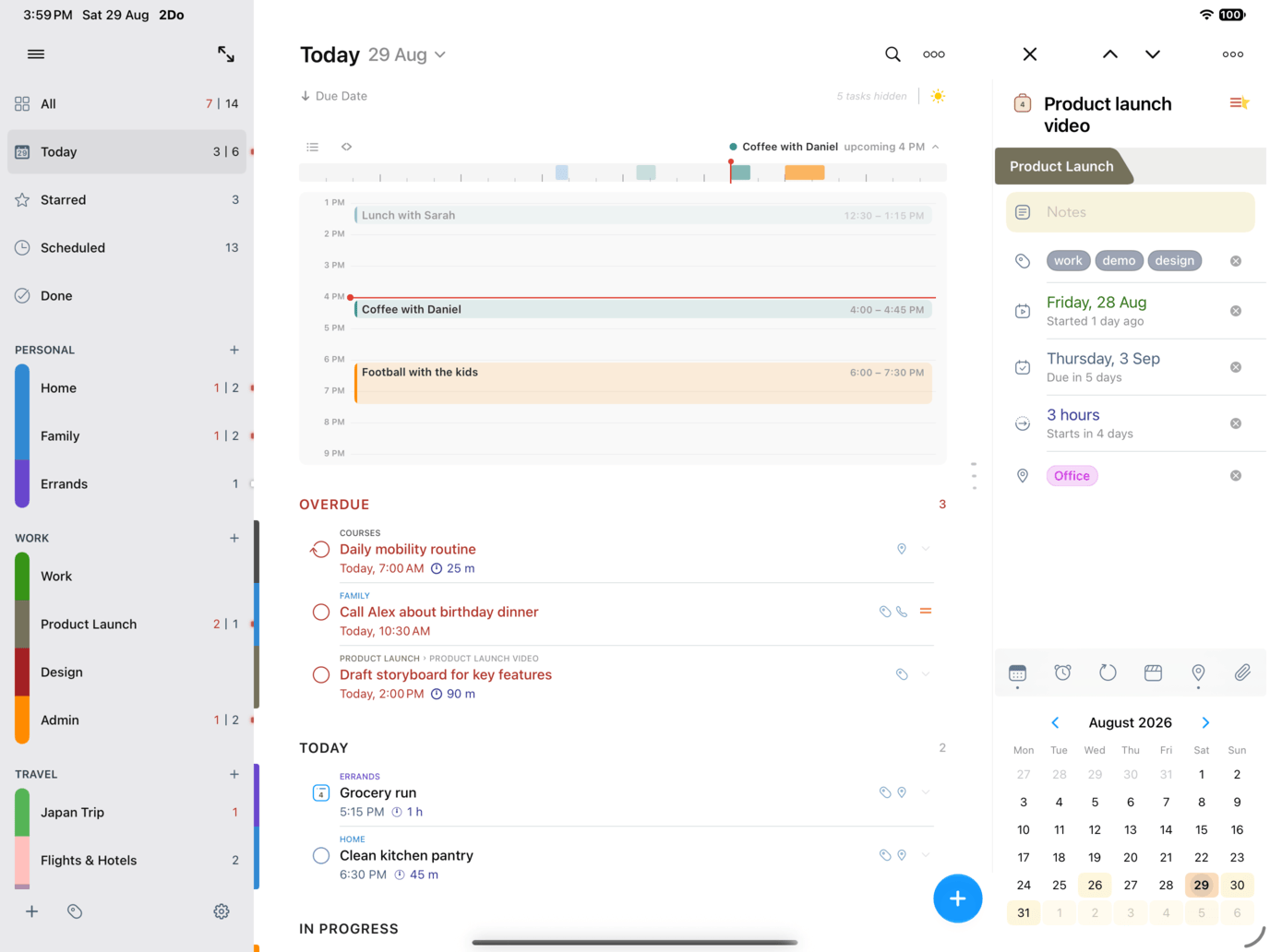
Your meetings sit right above your tasks, so you can see how much day you really have left before you promise it to something new. The Calendar Events page lays the whole day out, and busy days can carry dots or a heat map so the crowded ones show themselves early.
For ideas that arrive faster than your thumbs
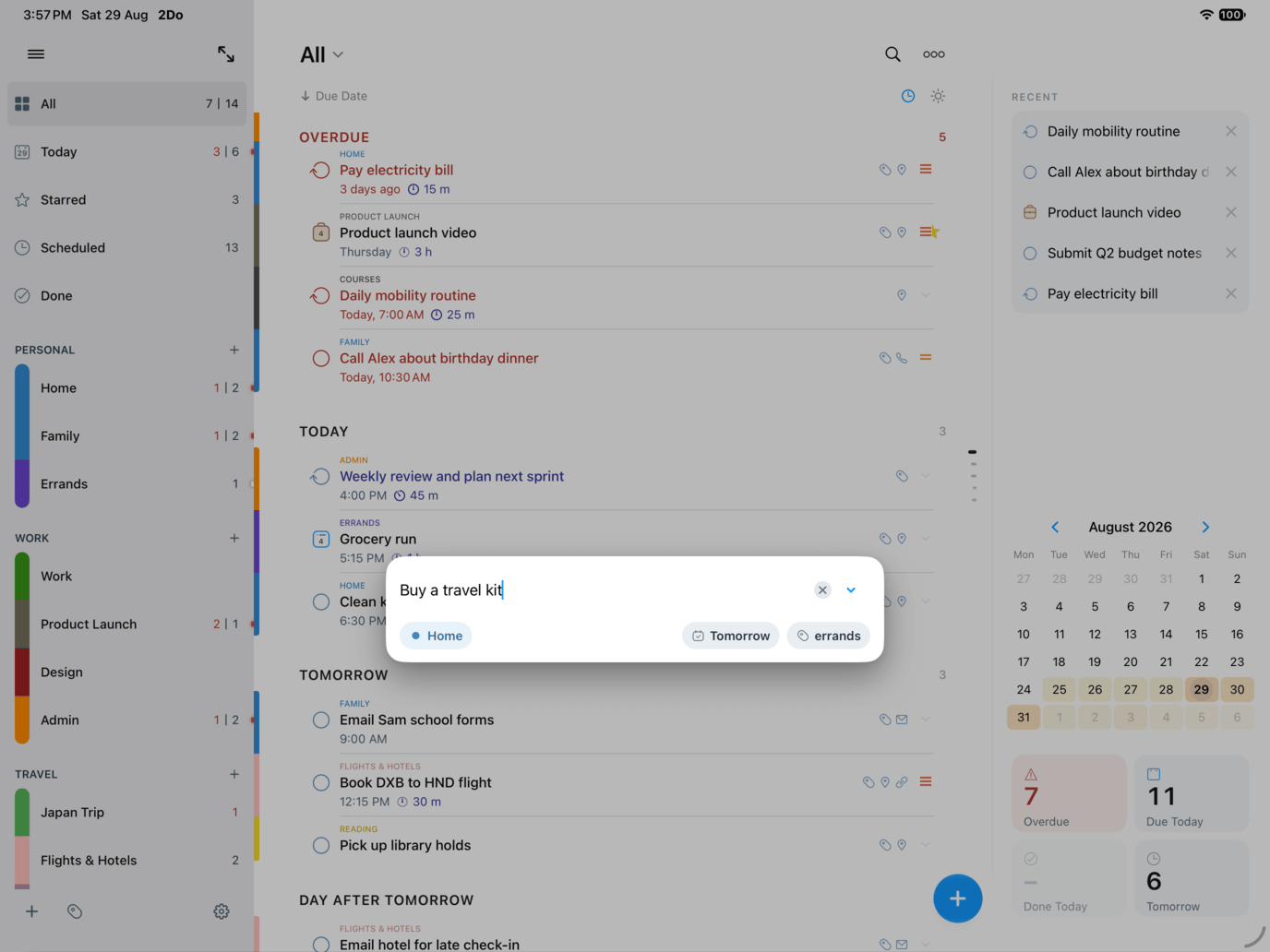
A thought lands, you hold the + button, and Quick Add floats up over the keyboard. Tasks file themselves as fast as you can type them, with dates, tags, list, and priority right there when you want them.
Any task or list, accessible from anywhere
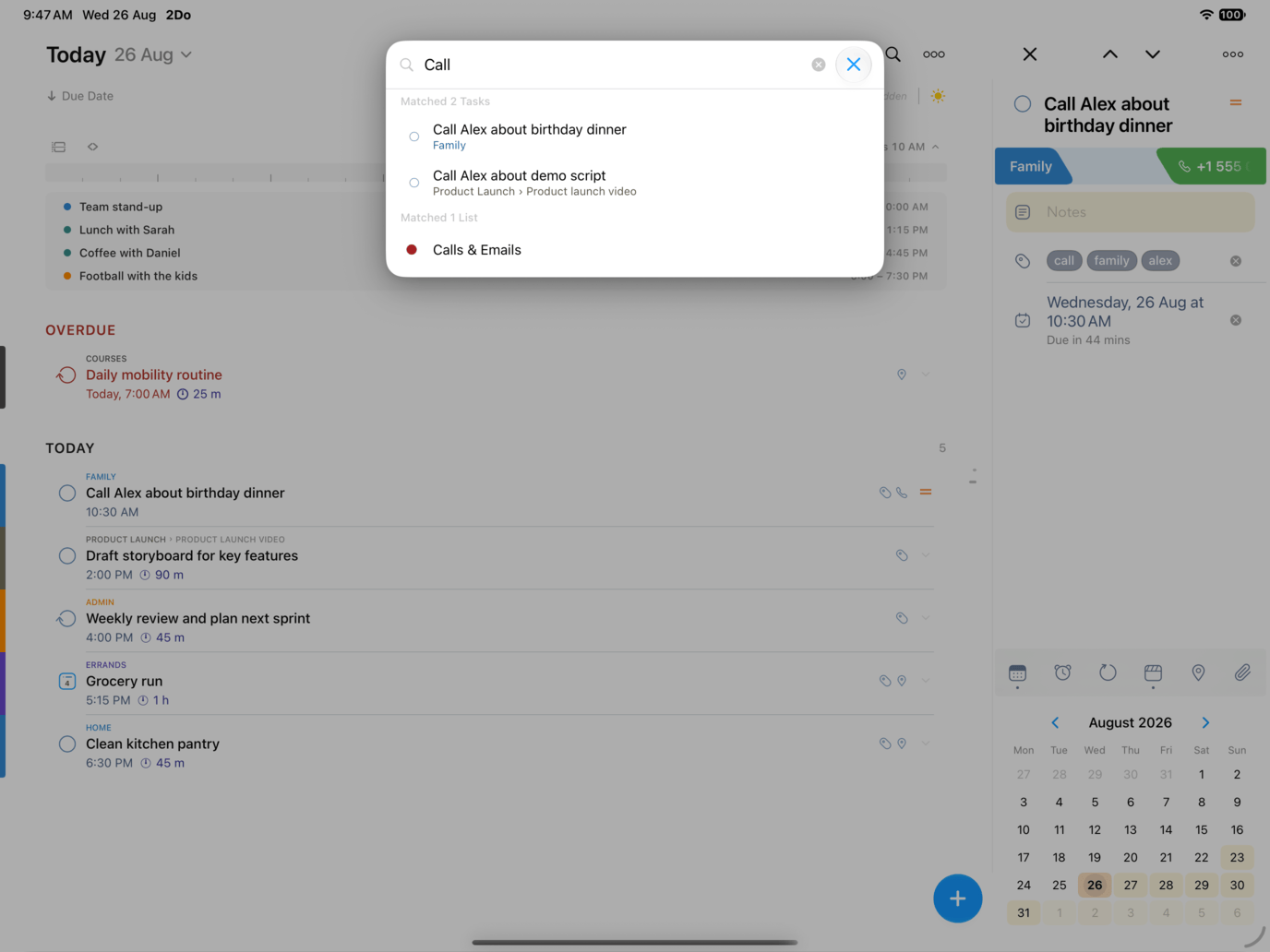
Type a few letters and Quick Open finds any task or list, wherever it lives, and takes you straight to it. Open it with nothing typed and it hands back whatever you were working on recently.
Simple until the task needs more
A task carries as much or as little as you want: dates, alerts, repeats, tags, locations, attachments, even a voice note. It all stays out of the way until you need it, and an action turns the next step, the call or the map or the message, into a single tap.
Beautiful notes, as you type
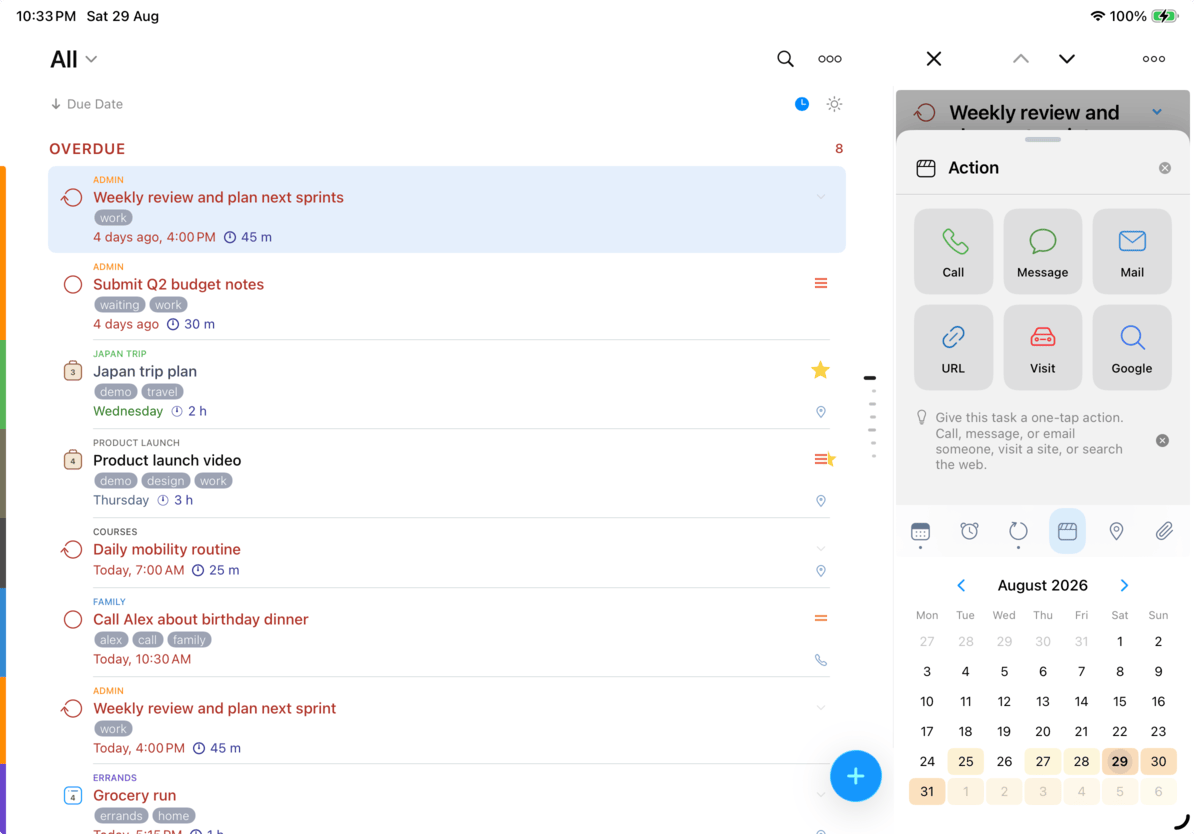
Write in Markdown and your notes take shape as you type: headings, bold, lists, quotes, and code. Every link you write is collected for you, ready to open.
Link one task from inside another’s notes and tap straight through to it. Stitch a project to its dependencies, a meeting to its follow-ups, or just leave yourself a breadcrumb back.
The editor that stays put
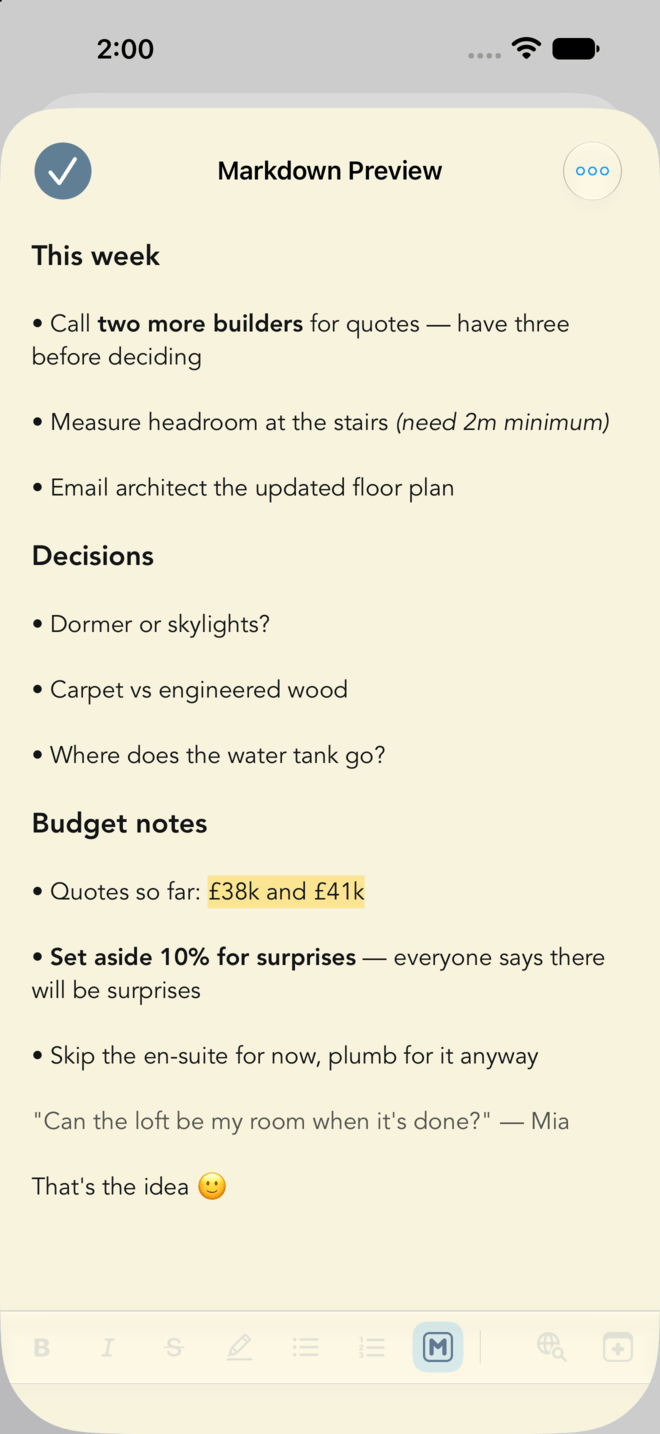
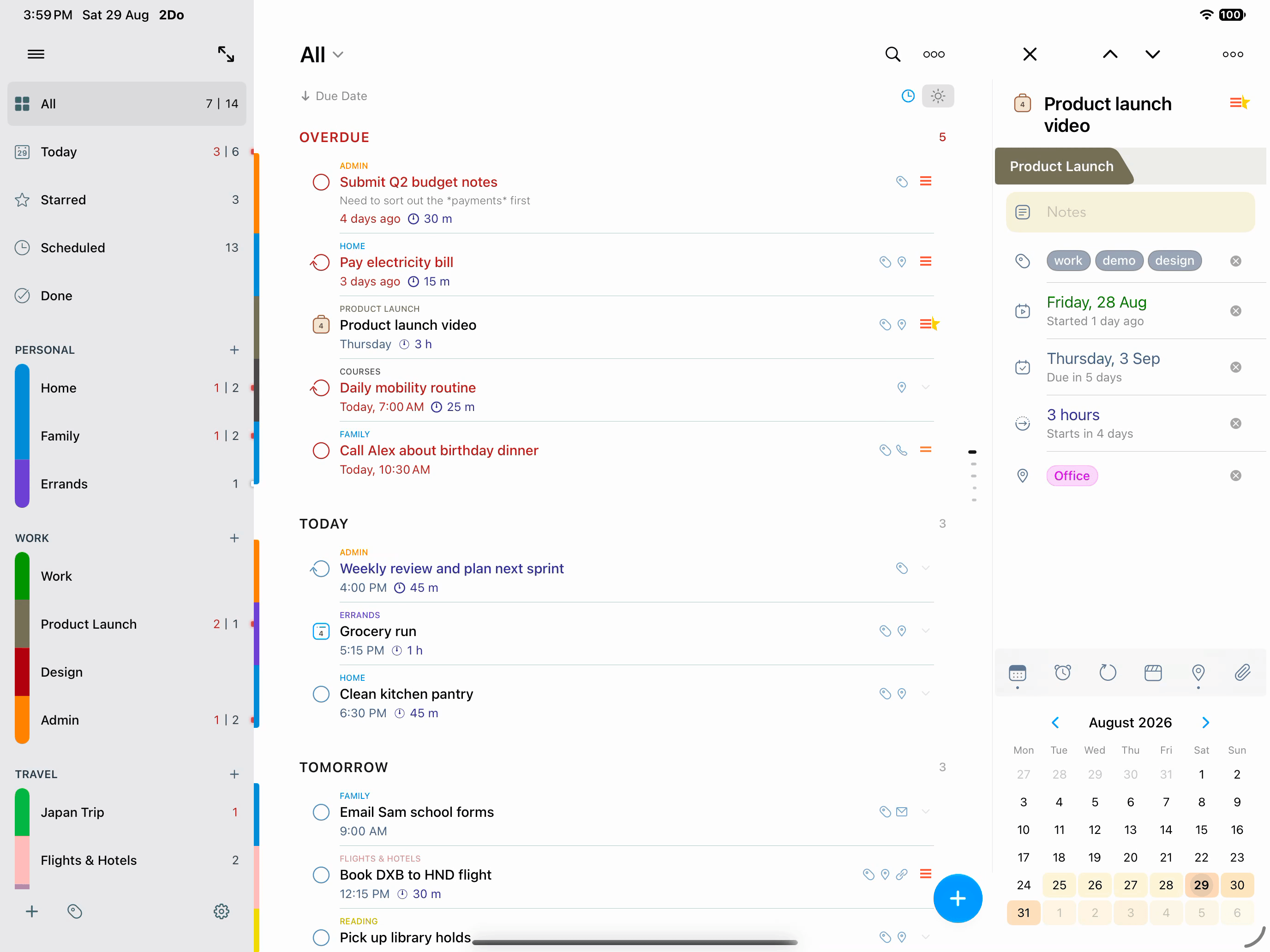
On iPad the editor lives in its own panel beside your list. Move to the next task and the panel follows, so you can work down a whole list without a single sheet getting in the way.
With nothing selected, it offers the tasks you had open last, along with the counts for overdue, today, and tomorrow.
Sort it however you like
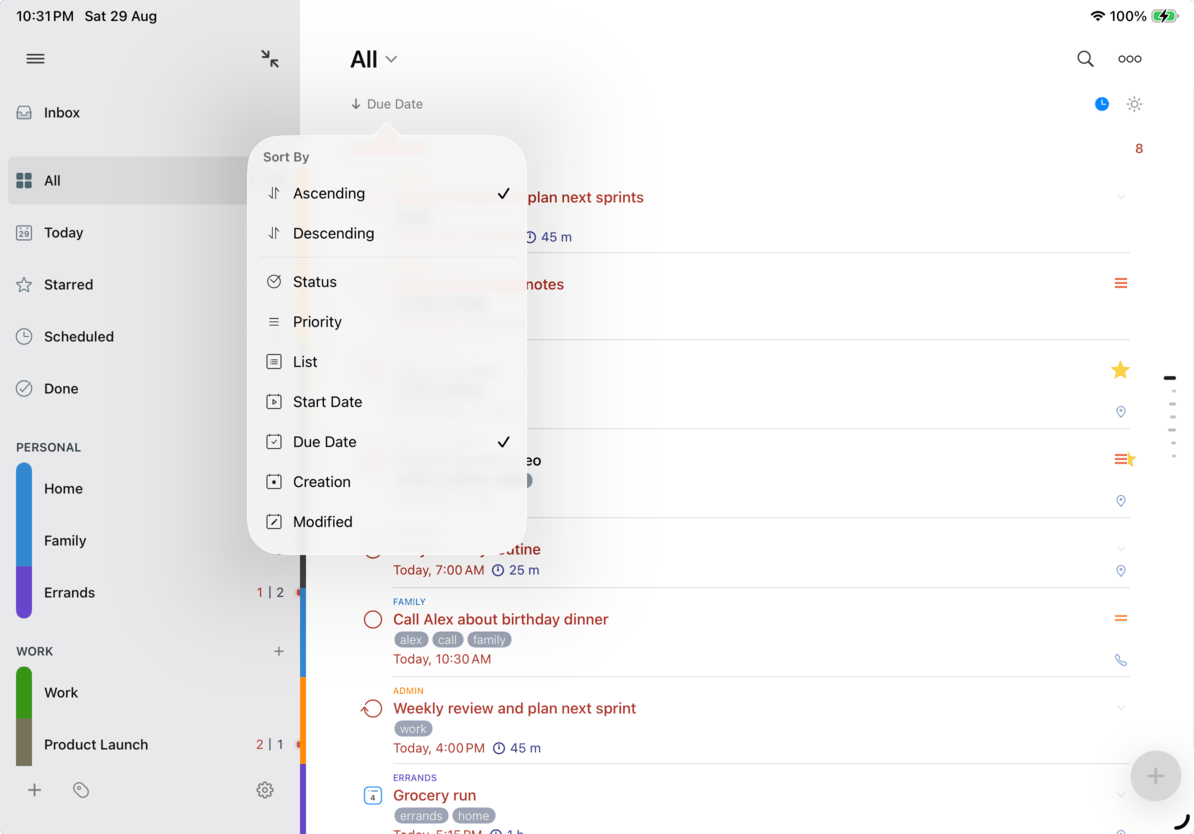
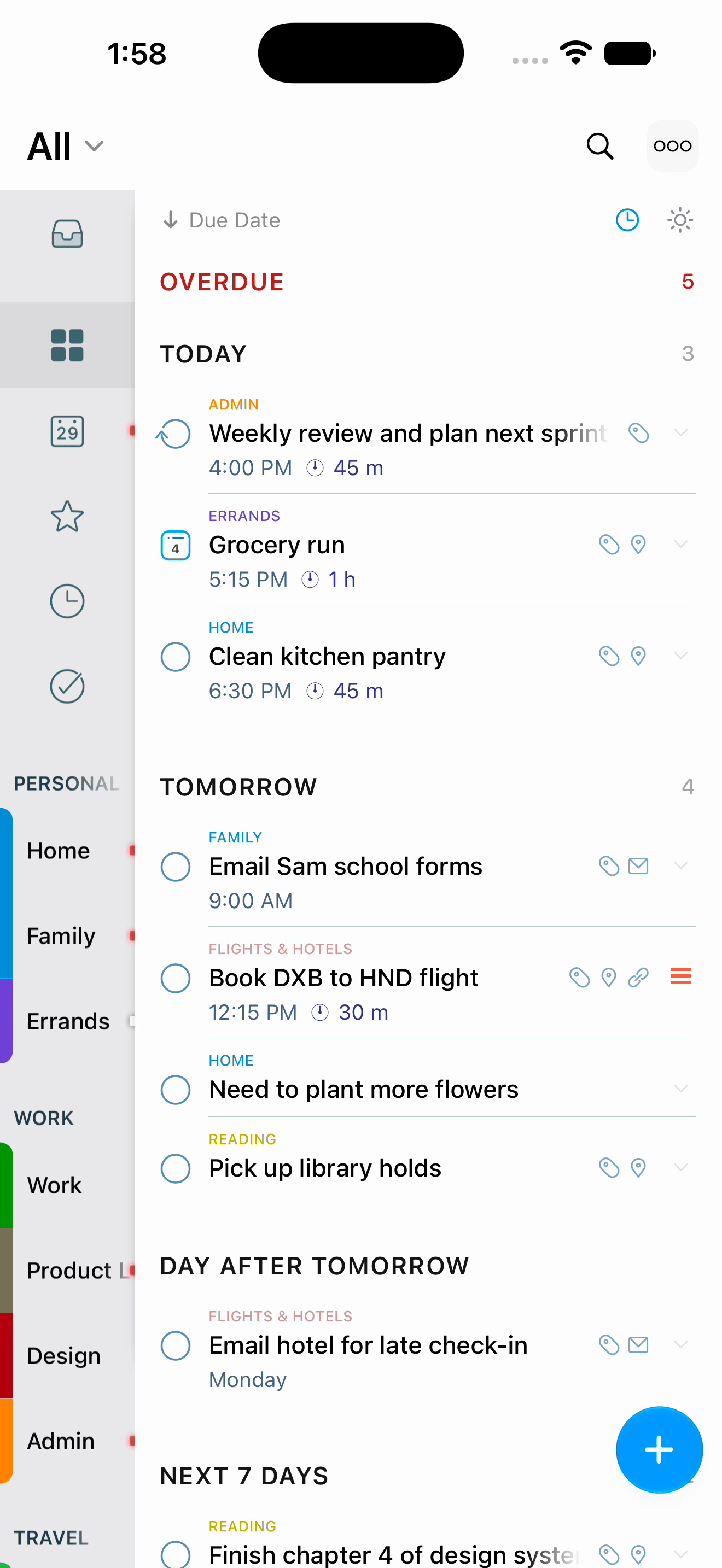
Sort by date, priority, list, or whatever suits the work in front of you, ascending or descending, with everything overdue kept apart when you want it that way. The sort menu sits right above your tasks, so changing your mind takes one tap.
Tasks gather into sections as they sort, and you can close the ones you are not working on. Each list keeps its own order and its own closed sections, and a project holds an order all of its own.
Tags: little words that sort everything
A tag is just a little word you’ll remember, like @phone, @waiting, or @maria. One tap on it in the Tags panel narrows your list to that context, and a second tap combines two. The right slice of your day, one tap away.
Tag Groups keep related tags together, so even a big collection stays easy to scan.
Put tasks on hold, not in the trash
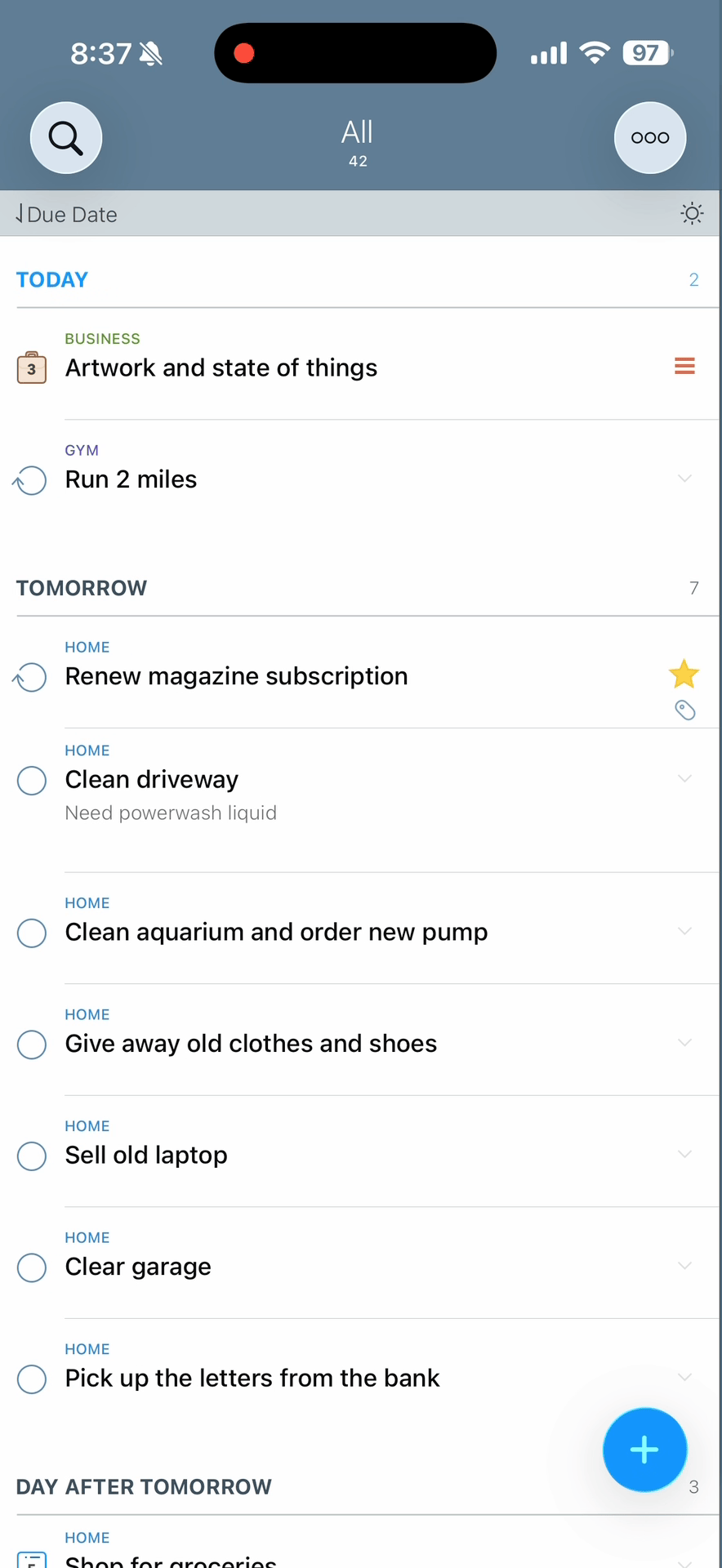
Some tasks belong in your system but not in your face: the home renovation, the someday reading list, the side project you’ll come back to next quarter. Pause the tag that holds them and every carrying task disappears from view. All. Today. Search. Hidden, not deleted.
Unpause when you’re ready, and the whole context returns exactly as you left it. It’s the calmest way to keep an honest task list without drowning in everything you might one day do.
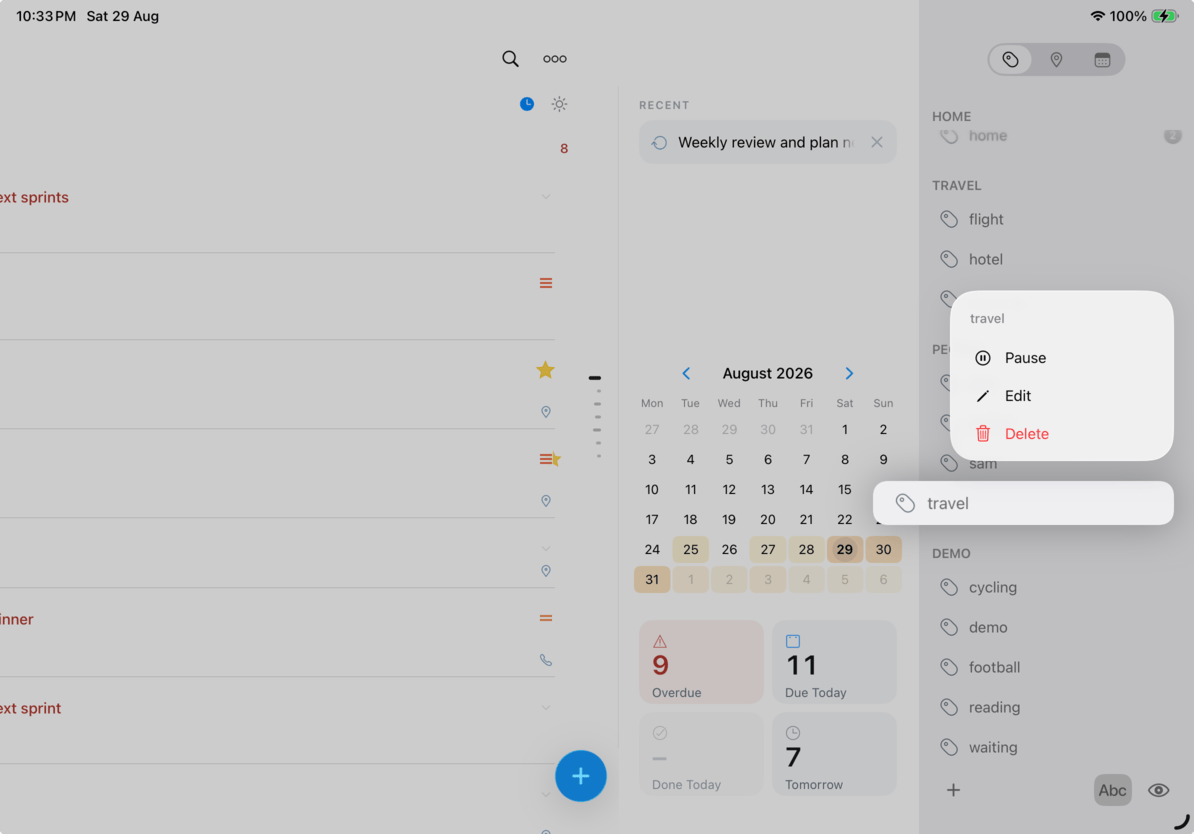
Put a location on a task, get reminded when you’re nearby
Give a task a location and it comes to you. 2Do watches the places on your list and alerts you when you are close enough to actually do something about them, taking start and due dates into account so it stays quiet about work that is not ready yet.
Decide how close is close enough, and the Nearby page of the utility panel keeps whatever is around you right now in one place.
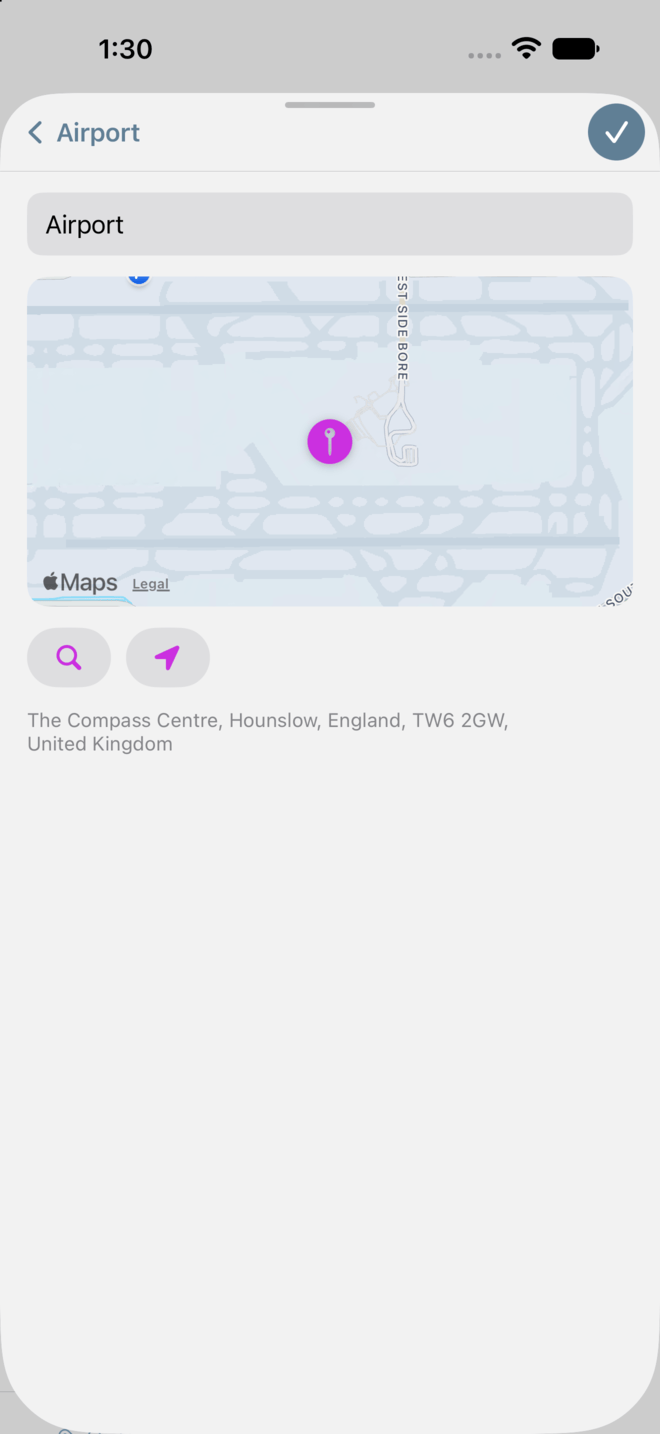
Drill down to what matters right now
One tap on Focus and everything that can wait steps aside. Tap again and it all comes back. Overdue, due today, this week, high priority, starred, any mix you like: you set the rule once and the button does the rest.
Each list remembers its own focus. Your work list and your errands list don’t need to share the same idea of what counts as important.
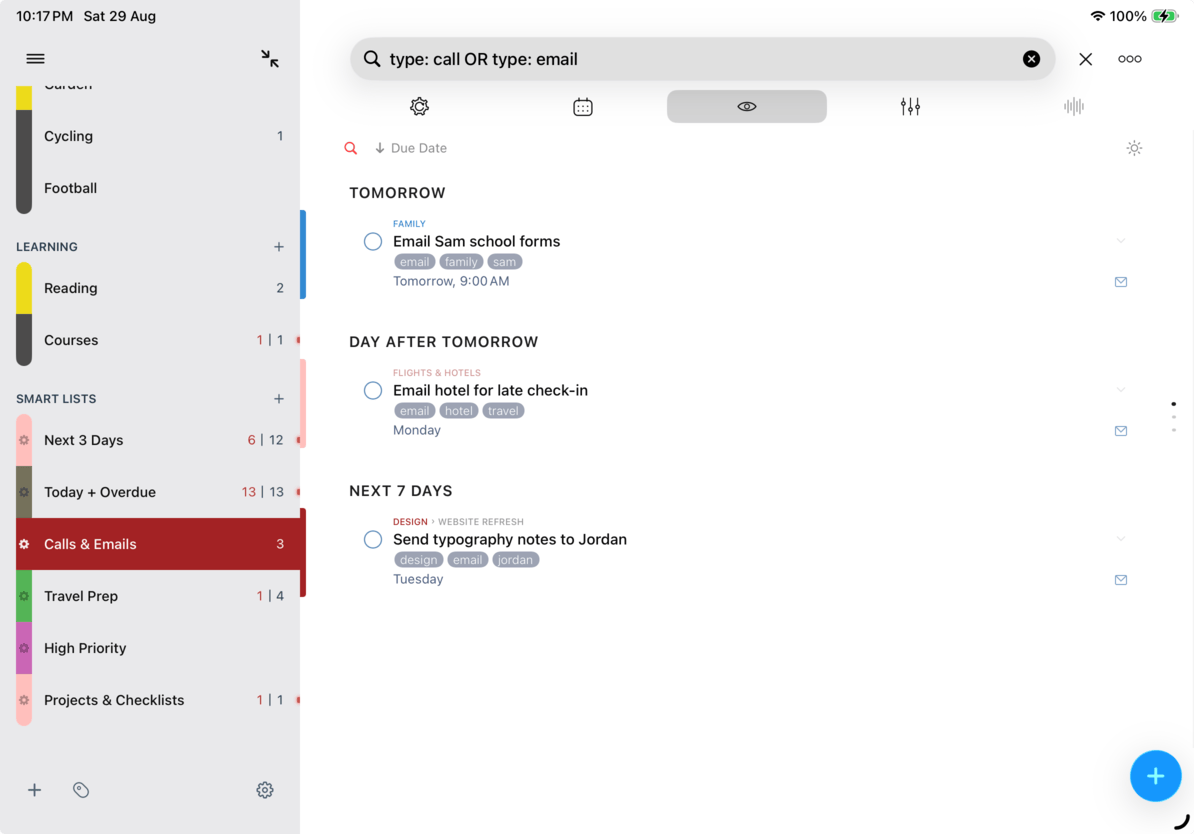
Find that task you know is in there
Search reaches across titles, notes, tags, lists, and dates, with presets ready for the searches you run all the time. Not sure how a name was spelled? Sounds-like search finds it anyway.
Save any search as a Smart List and it becomes a view you can return to: your weekly review, your stalled projects, your errands nearby. Smart Lists are perspectives, not folders. The originals stay where they belong.
Many tasks, one move
Pick a stack of tasks and defer, schedule, tag, move, star, or clear them all in one move. Repetition is for tasks, not for editing them.
It works wherever a task list lives: a real list, a Smart List, Today, or a set of search results. Everything due Friday moves to Monday in three taps.
Let 2Do sort out what matters
Select a stack of tasks, tap Priority, and pick Auto-Prioritize. 2Do reads each task’s title, notes, dates, list, and tags, and settles on None, Low, Medium, or High. It runs on Apple’s on-device Foundation Models, the ones behind Apple Intelligence, so there is no outside AI service in the middle and nothing about your tasks leaves your iPhone or iPad. There is no account to create and nothing to subscribe to.
Empty your head into the Inbox after a meeting, then let 2Do work out what cannot wait. A screenful of tasks takes a few seconds: “Pay the credit card bill today to avoid the late fee” comes out High, “File tax return to avoid financial penalties” lands at Medium or above even with no date, and “Maybe learn Italian someday” stays at None.
Only priorities change. Stars, dates, notes, titles, tags, and lists stay exactly as they are, completed tasks are left alone, and one undo puts the whole run back. It needs an iPhone or iPad running iOS 26 or iPadOS 26 with Apple Intelligence turned on.
Re-home tasks with a single drag
Pick up a task and drop it where it belongs: another list, a tag, a date, or a project that has grown around it. Select several first and the whole stack travels together.
The panel beside your tasks takes drops too, which makes it the quickest way to reshape a list that has drifted out of shape.
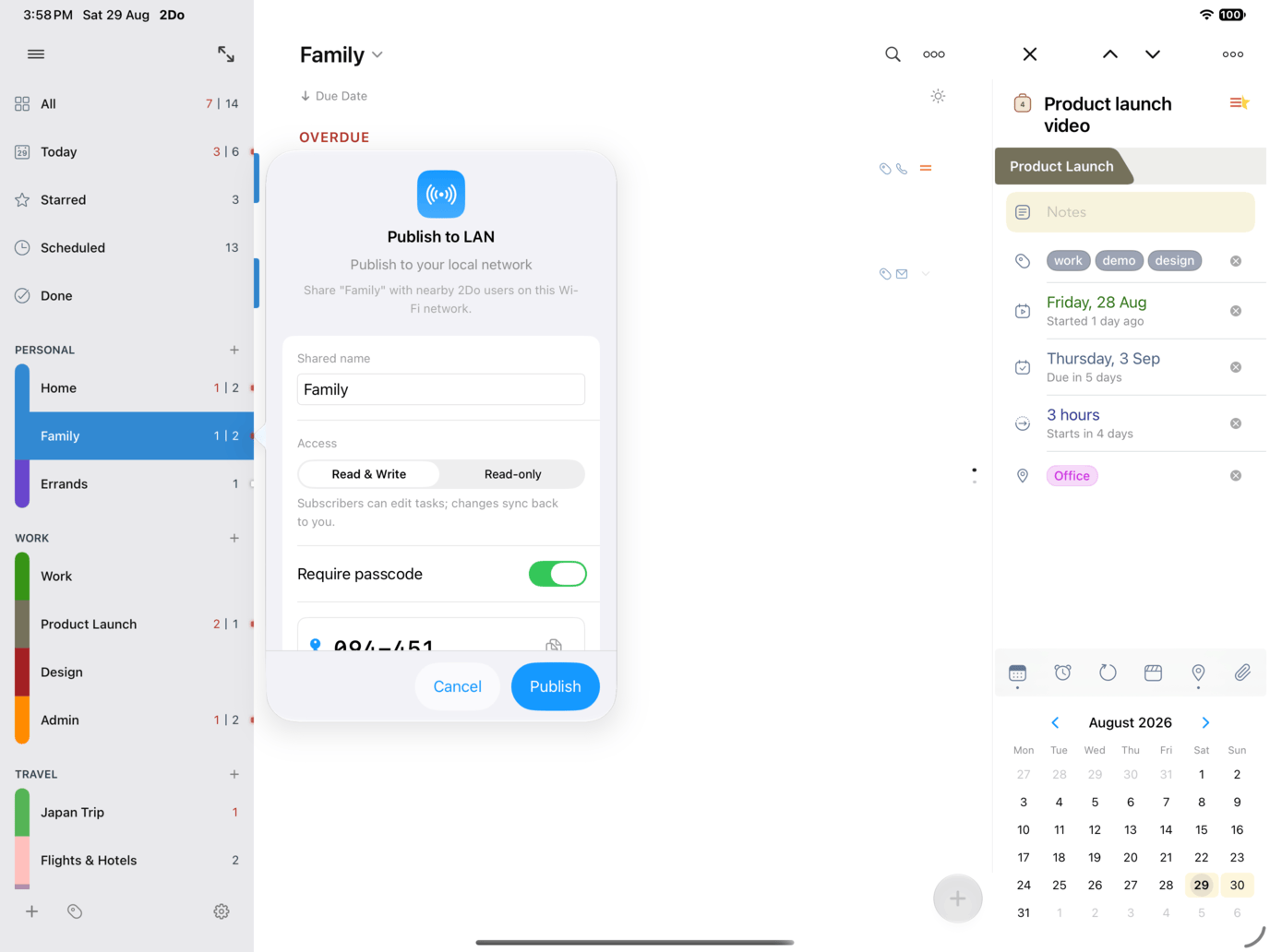
Share a list across the room
Publish a list to your Wi-Fi network and anyone running 2Do nearby can subscribe. No account to create, no cloud in between. Share the groceries, a trip plan, or a whole project with the room, as readers or as editors, and a passcode keeps it to the people you mean.
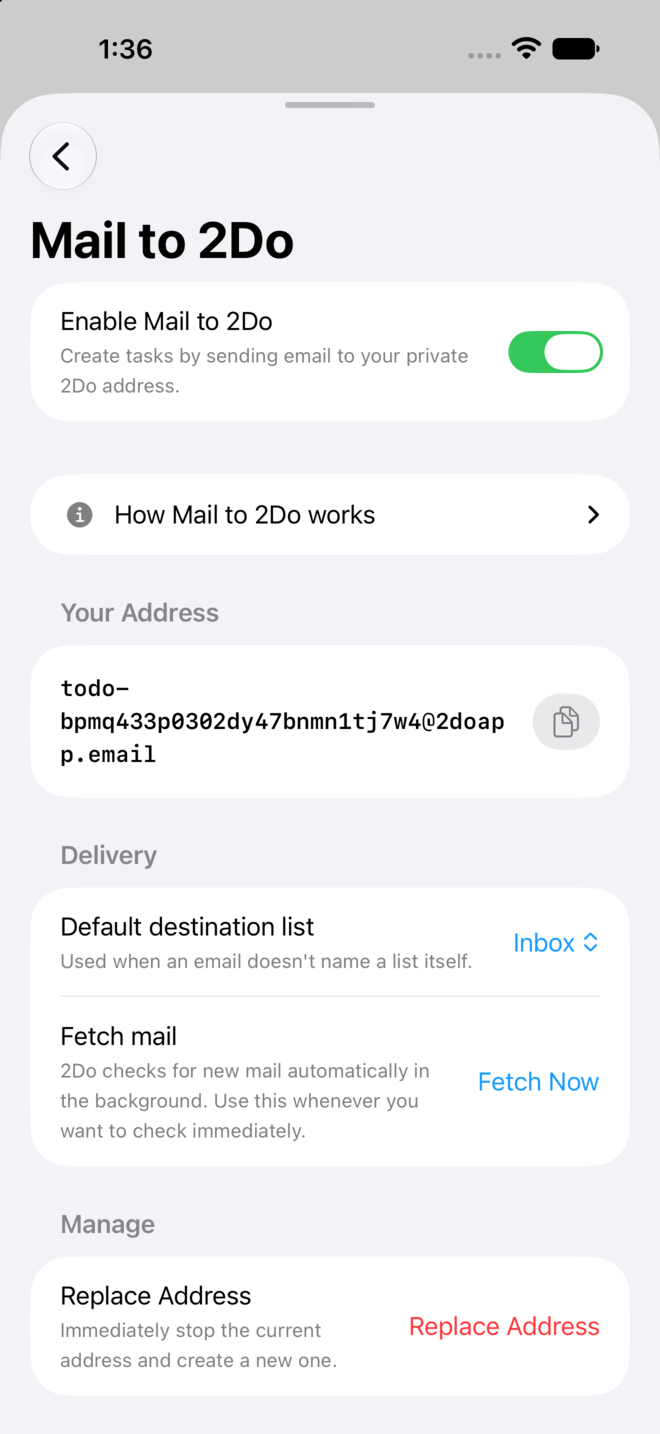
Mail, meet your task list.
Flight confirmations, payment reminders, that reply you keep dodging: mail them all to 2Do.
Your device gets its own private email address, and anything you send it arrives as a task: the subject as the title, the message as the notes, a numbered message as a checklist. Dates, lists, and priorities can travel with it, so mail files itself on the way in.
Nothing you write down is ever really lost
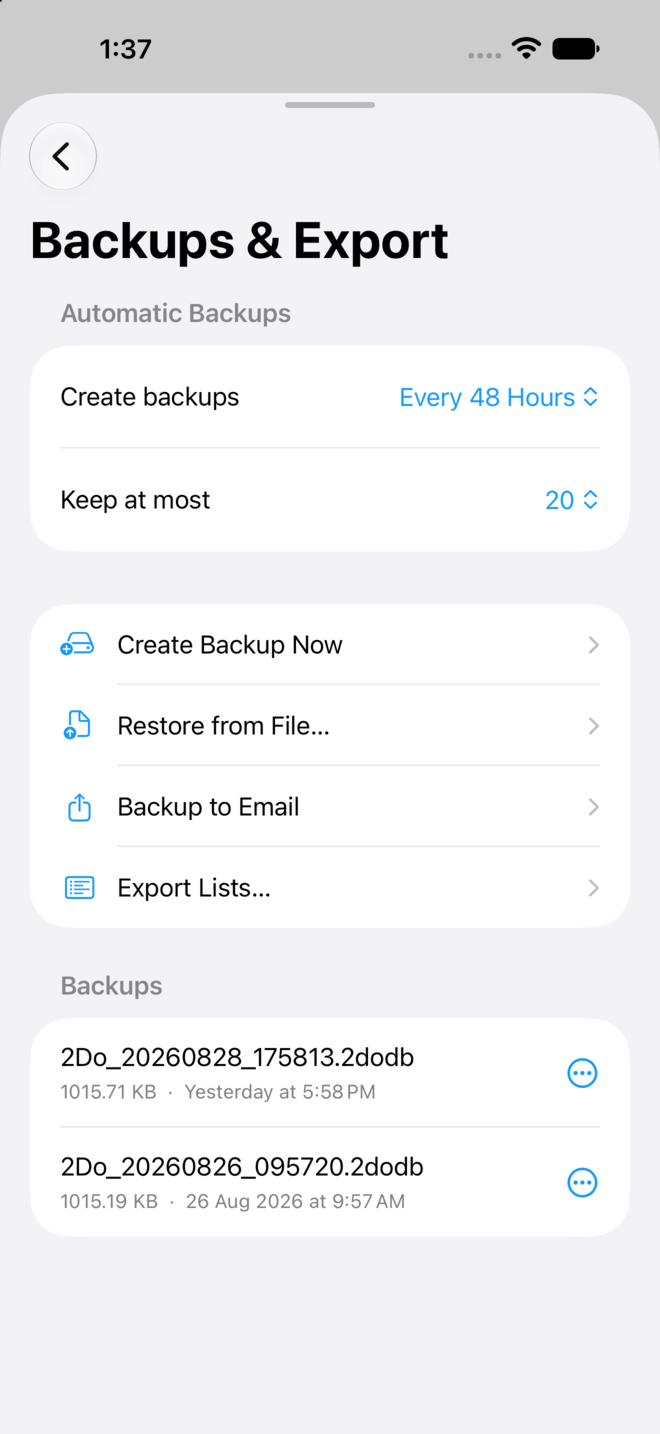
2Do backs itself up on a schedule you choose and keeps as many copies as you ask for. Take one on the spot before a big clean-up, or mail a copy to yourself.
And if a day goes wrong, you are not stuck restoring everything: bring back a single list from inside a backup and the rest of your work stays exactly where it is.
Your day, before you even unlock
Today and what is up next, right there on your home screen or lock screen, pinned to whichever list matters most.
Control Center gets a button for a new task and one for your Today list, so capture never waits for the app to open first.
Ask, and it’s on the list
Ask Siri to add a task and 2Do takes it from there. It’s the quickest way to offload a passing thought while your hands are busy.
Build a Shortcut around it and 2Do runs the whole routine: create, find, complete, move, or schedule tasks, and open any list you name.
Pinch for detail, set it the way you like
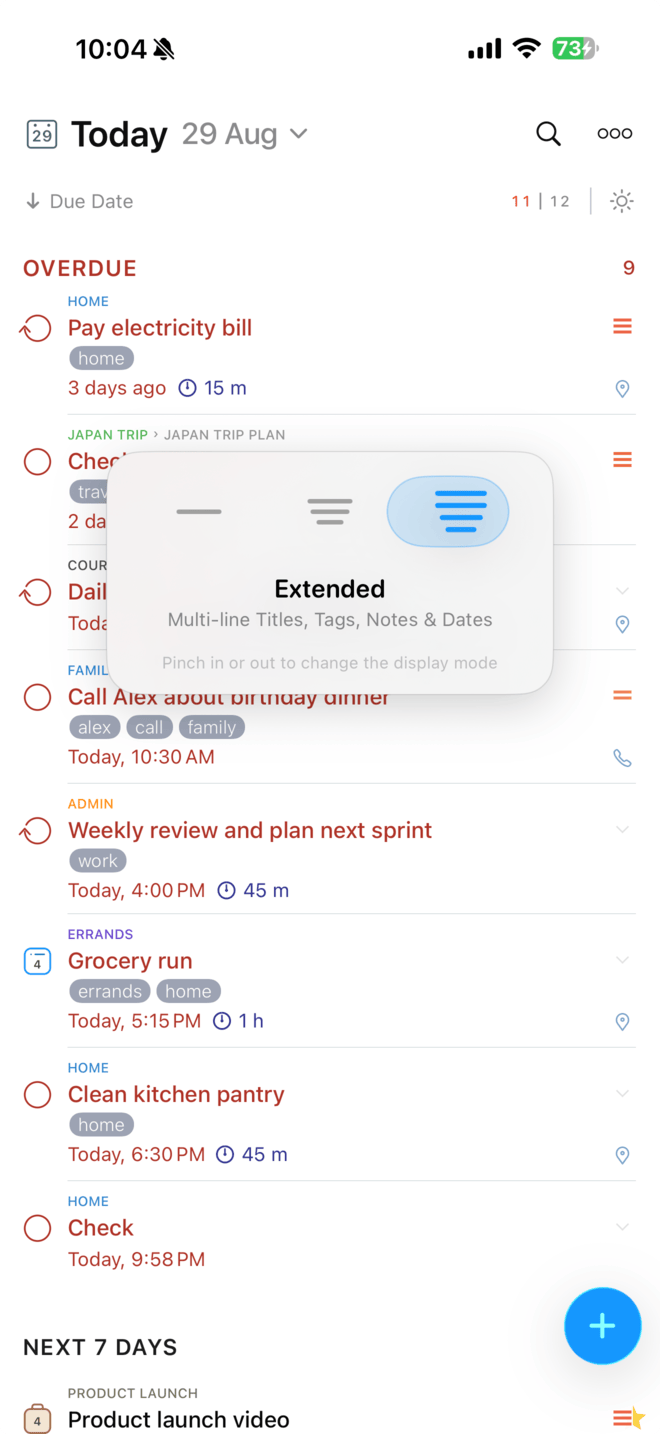
Pinch the task list in to fit more rows on screen, or out for full titles, notes, tags, and dates. Three display modes, one gesture.
Light and Dark follow your device on their own, text sizes to taste, and the control at the end of a row sets a priority or stars a task without opening it at all.
Plug in a keyboard and fly
Your hands never have to leave the keys: capture, move between lists, schedule, complete, and search, with the full command set waiting in the iPadOS menu bar.
Arrow keys walk the list and open each task as they go, so a whole review can happen from the keyboard.
One window per train of thought
Open a second window and keep Today in view while you plan a project beside it. Each window holds its own list, search, and panels, so switching between them never loses your place.
Drag a task from one window straight into a list in the other, exactly as you would inside a single one.
Sync Choices, Backups & Protection
Sync through the service you already trust: iCloud, Apple Reminders, Dropbox, Todoist, Toodledo, Fastmail, or any CalDAV server. When two devices meet for the first time, 2Do can merge them instead of making you pick a winner, so setting up a new device never means losing a list.
Lock private lists behind a passcode, hide the ones you would rather not see at all, and let automatic backups hold the safety net. 2Do treats sync as your bridge between devices, never a requirement to store your data with us.
Natural Language Input
iCloud Sync
Dropbox Sync
Apple Reminders Sync
CalDAV Sync
Todoist Sync
A Place to Land
Projects & Checklists
List & Tag Groups
Smart Lists
Deep Search
Durations
Repeating Tasks
Actions
Batch Editing
Drag & Drop
Focus Mode
Nagging
Notes & Markdown
Calendar Events
Quick Open
Quick Add
Wi-Fi List Sharing
Mail to 2Do
Nearby
Widgets & Control Center
Siri & Shortcuts
URL Schemes
Password Protection
Backup Browser
Light & Dark Themes
Pinch to Zoom
Keyboard Shortcuts
Multiple Windows
Content Width
Recents
Your Data, Your Rules
We believe your tasks are your life, and your life is private. Everything 2Do knows stays on your devices, and it travels only to the service you choose.
No funny business, just thoughtful task management. See our privacy policy for more details.
The Word on the Street
Obsessed with this app
I have been using 2Do since around 2010 or 2011. I have lived my entire 30s and now into my 40s with this app as my constant companion. Through career changes, travel, business growth, and everyday life, 2Do has kept me organized, focused, and on track.
The Best to do app
Have been using 2do for years. It has so many features and things under the hood, but is super flexible and easy to use. Not only can you take tasks, make lists, create projects… I keep ongoing lists like questions for my next doctor appointment, a going grocery list, and things I need to remember.
Currently the best and most flexible iOS to do list
Currently the best and most flexible iOS to do list. I’ve tried many apps and different systems and I’ve even written one or two myself. This app is a nice balance of features and clean interface.